
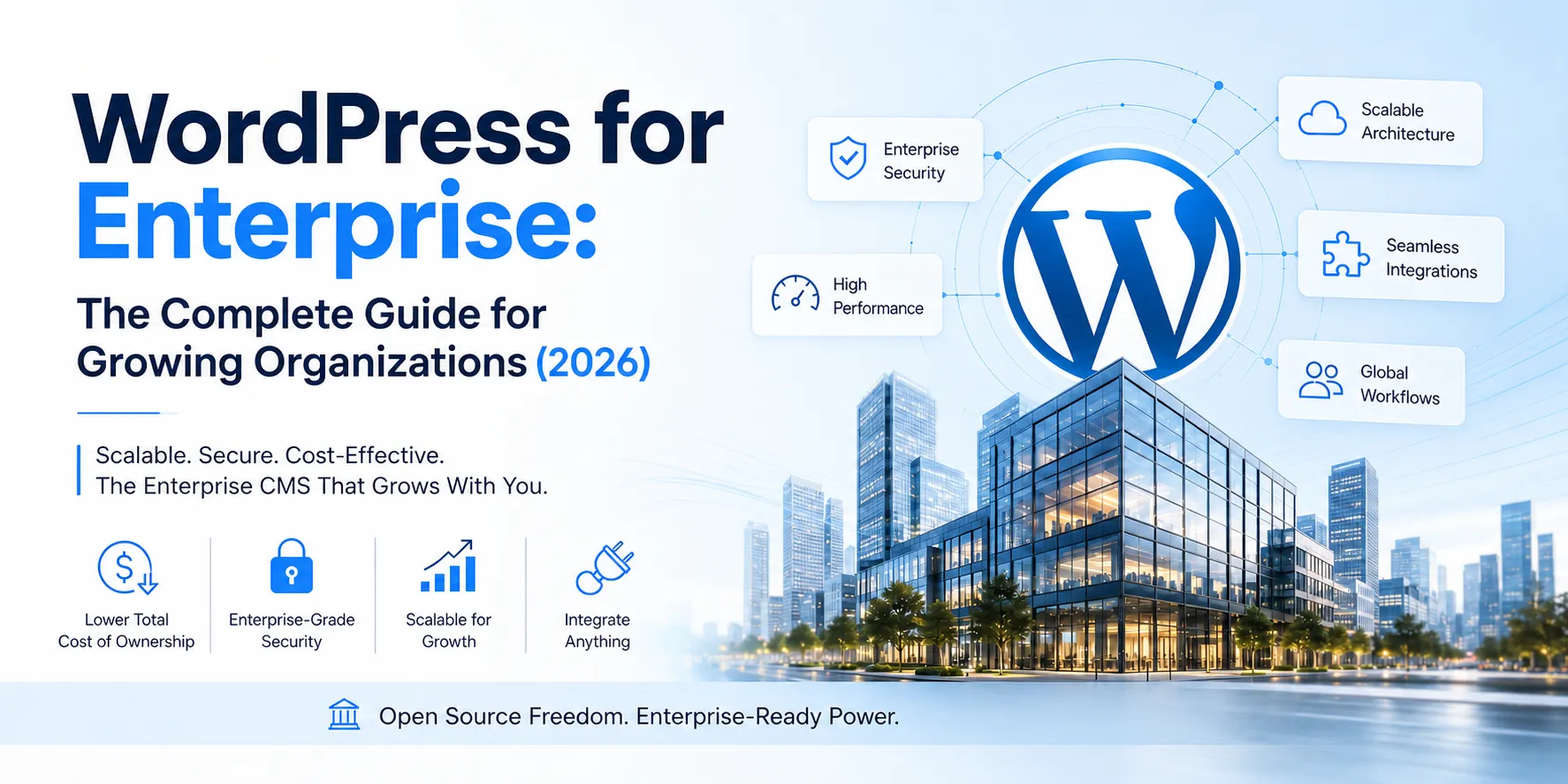
Most enterprise organizations don't switch to WordPress because they love the platform. They switch because they've spent years paying six-figure CMS license fees, waiting months for vendor release cycles, and watching every new integration turn into a bespoke development project that costs more than it should.
At some point, the math stops making sense.
If your organization is evaluating CMS options for a major digital project, wondering whether to keep scaling on WordPress, or frustrated by the lock-in and cost of your current platform this guide is for you. We'll show you exactly why WordPress for enterprise deserves serious consideration in 2026, and what a properly architected enterprise WordPress stack actually looks like in practice.
1. How WordPress Evolved Into an Enterprise Platform {evolution}
For many decision-makers, WordPress still carries a mental image of blog posts and simple brochure sites. That version of WordPress existed and it served its purpose well. But what enterprise teams are evaluating today is something fundamentally different.
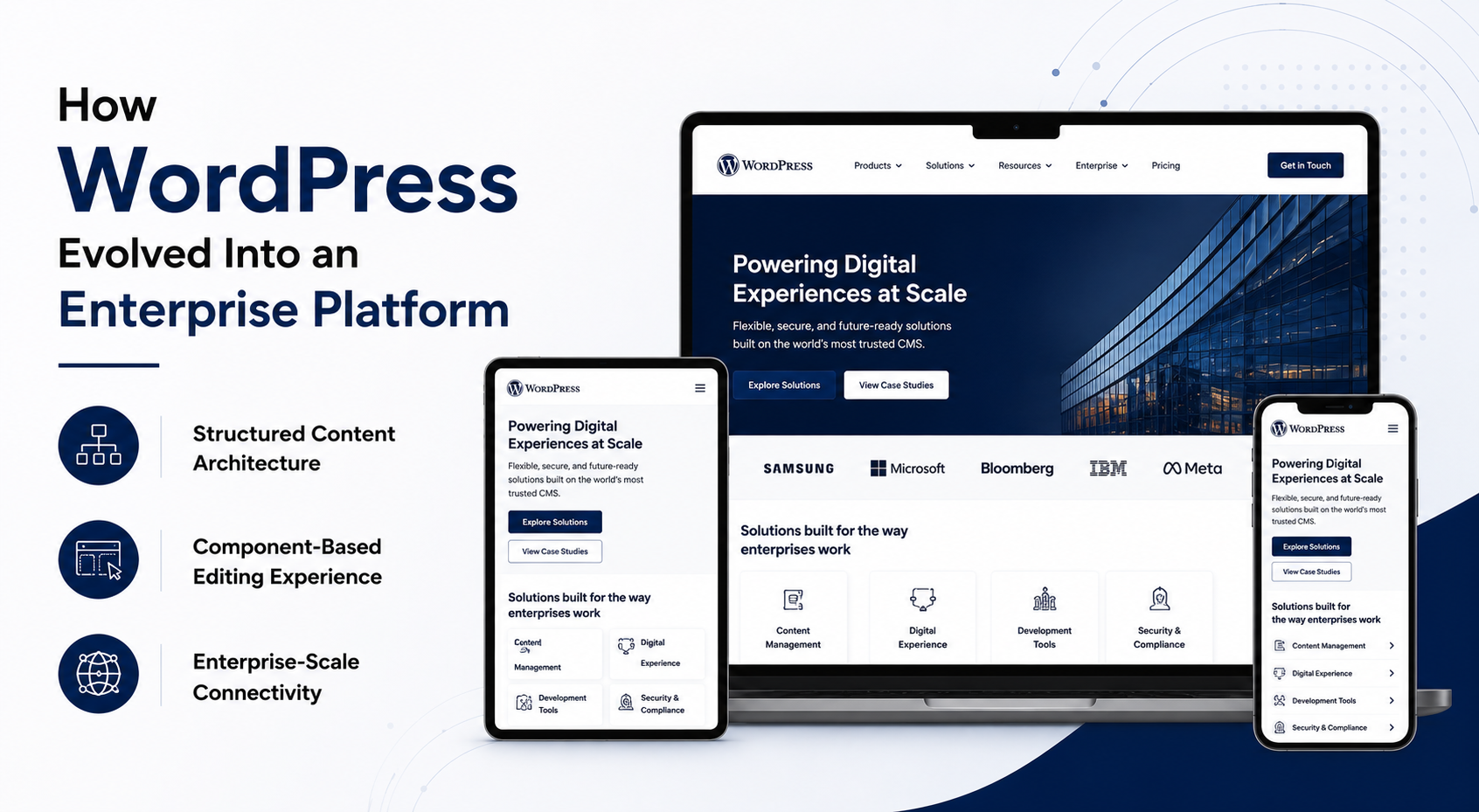
Over the last decade, WordPress has matured through three distinct leaps that transformed it from a publishing tool into a full application framework.
The structural leap.
Custom post types and taxonomies moved WordPress beyond generic pages into fully modeled content architectures, products, locations, investor reports, case study libraries, knowledge bases, multilingual hubs. Organizations could now build content models that matched their business objects, not work around a rigid system.
The editing and UX leap.
The Gutenberg block editor turned WordPress into a component-based system. Teams can assemble pages from approved, reusable design blocks rather than commissioning custom templates for every new campaign. For enterprise marketing teams, that means faster launches, consistent design standards, and far less developer dependency for day-to-day publishing.
The connectivity and scale leap.
The WordPress REST API opened the door to headless architecture, deep integrations with enterprise systems, and mobile application backends. Multisite capabilities allow a single codebase to power hundreds of brand sites, regional properties, or microsites from one governed platform.
This is the WordPress for enterprise that CTOs and digital directors are actually evaluating today, not a blogging engine, but a flexible, API-driven, component-based platform built for serious organizational scale.
2. Who Should (and Shouldn't) Use Enterprise WordPress {who}
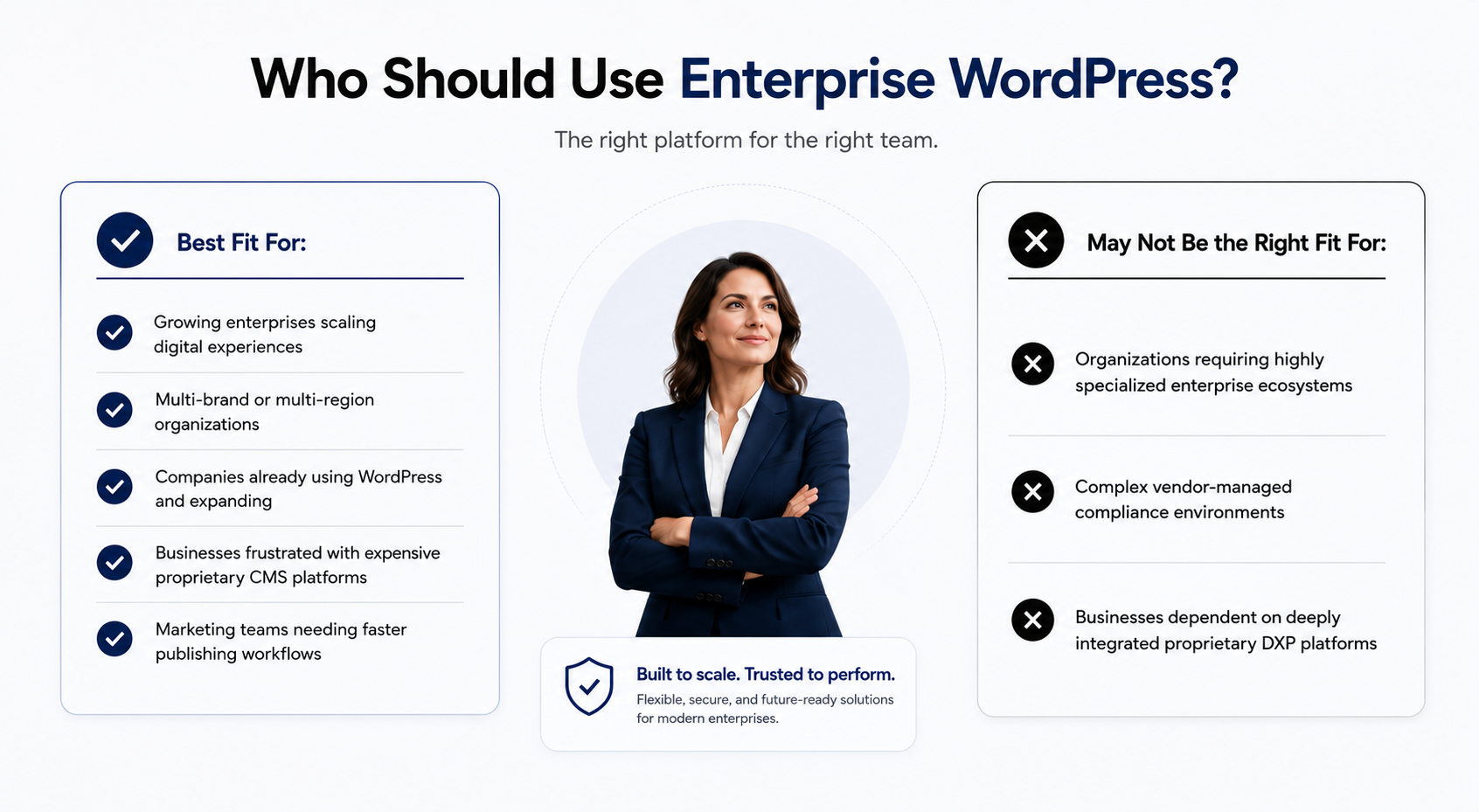
Enterprise WordPress is not the right answer for every organization, and the best way to build trust with you is to say that plainly. Here's how to think through the fit.
It's a strong choice for:
New or growing enterprises selecting a CMS.
If you're moving beyond a brochure site into lead generation, multi-region publishing, or multi-brand digital experiences, WordPress gives you mature architecture, a global talent pool, and room to scale without forcing a replatform later.
Organizations already on WordPress and scaling up.
If your current site feels slow or fragile, that's almost always a hosting or development standards problem, not a platform ceiling. With the right engineering approach, infrastructure, and governance, many teams successfully elevate their existing WordPress install into a true enterprise stack without abandoning it.
Enterprises frustrated by proprietary CMS platforms.
If you're paying high license fees, fighting vendor lock-in, or waiting too long for releases, WordPress gives you control back over hosting choices, integrations, your development roadmap, and your long-term budget.
It may not be the right fit when:
Your organization operates in a deeply closed enterprise ecosystem requiring very specific built-in DXP features, AI-powered content scoring at scale, deeply embedded DAM workflows, or complex regulatory supply chains where a single platform vendor manages compliance accountability end-to-end. In those narrow scenarios, platforms like Sitecore or Adobe Experience Manager may justify their cost. For most content-driven, marketing-led, or multi-brand environments, those scenarios don't apply.
3. WordPress vs. Sitecore, Drupal, and Adobe Experience Manager {comparison}
Enterprise buyers don't make CMS decisions in isolation. If you're evaluating WordPress for a large organization, you're almost certainly comparing it against Drupal, Sitecore, or Adobe Experience Manager (AEM). Here's an honest breakdown.
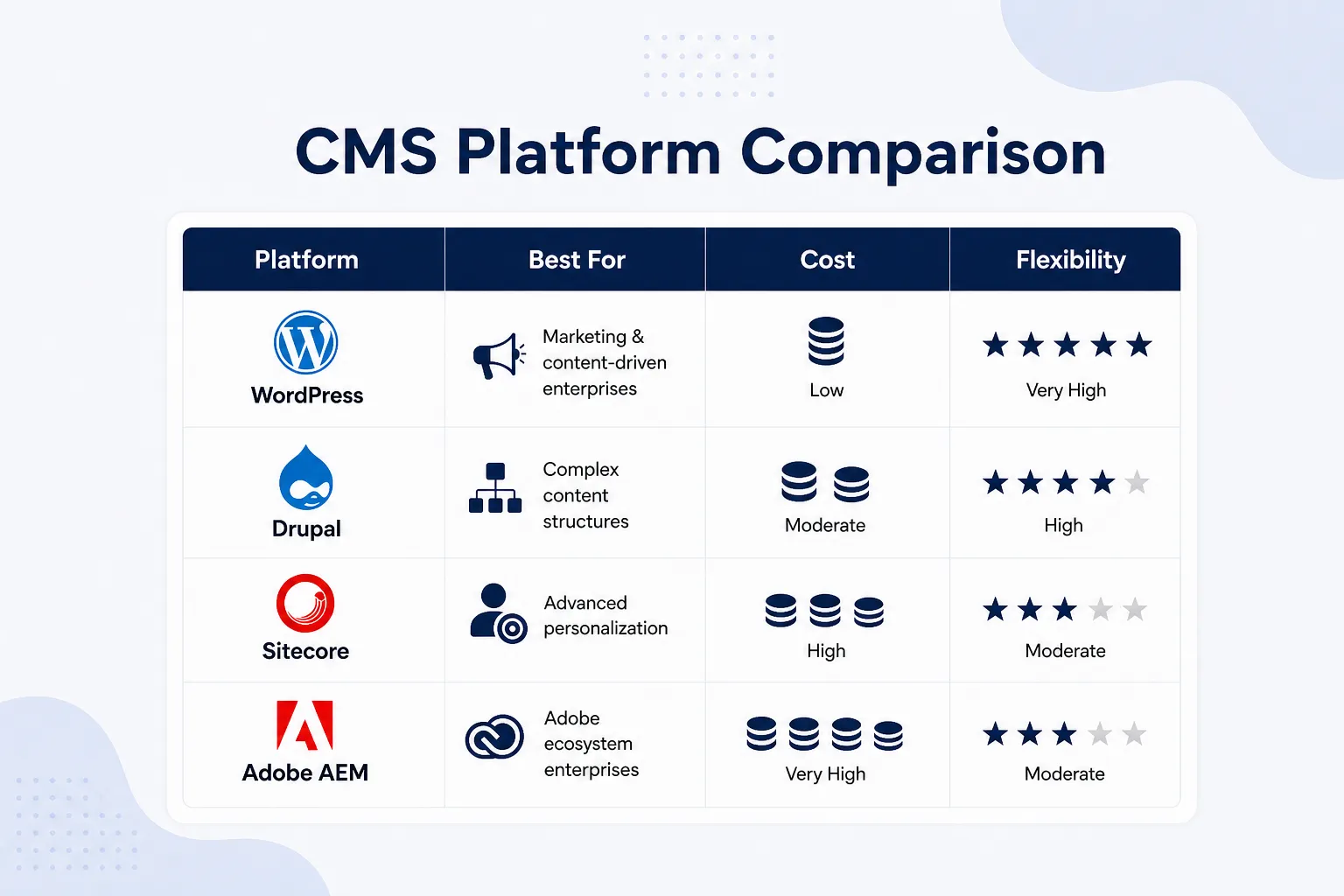
Where Drupal wins:
Complex content architecture for government, higher education, or heavily structured data models. Drupal's content modeling is more granular than WordPress by default, and its access control system is more configurable out of the box. If you're building a site that's 80% data architecture and 20% marketing, Drupal is worth a serious look.
Where Sitecore wins:
Organizations that need deep, rule-based personalization built natively into the CMS, showing different content to different segments based on CRM data, behavioral history, and campaign attribution in one system. Sitecore's advantage is integration depth within its own ecosystem. Its weakness is that you pay for that integration heavily, in license fees, specialist development costs, and migration complexity.
Where Adobe AEM wins:
Organizations already deeply embedded in the Adobe ecosystem, Marketo, Adobe Analytics, Adobe Target, where AEM's native integration reduces implementation work. If your digital team lives in Adobe tools and you have an enterprise-level budget, AEM delivers. If you don't, you're paying for integrations you'll never use.
Where WordPress wins:
Content-heavy, marketing-driven organizations that need speed, flexibility, and cost efficiency. WordPress gives you a platform your team already understands, a global talent market that keeps costs competitive, and the freedom to evolve your stack without renegotiating vendor contracts. For most enterprises, that's the stronger value proposition.
4. Inside a Real Enterprise WordPress Architecture {architecture}
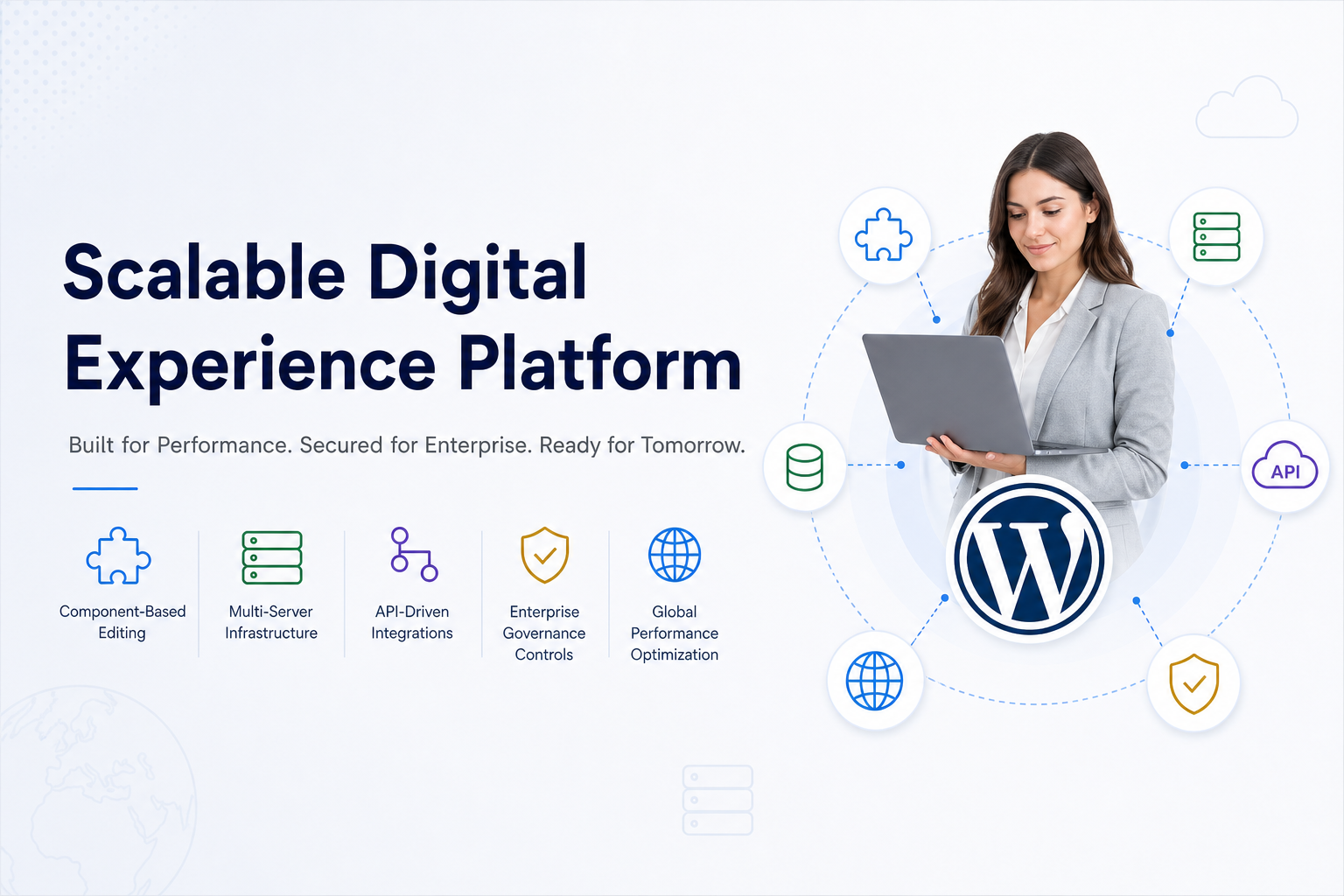
When organizations say they run WordPress at enterprise scale, they're not describing a single server with thirty plugins. A production-grade enterprise WordPress stack is a layered system designed for performance, resilience, and controlled change.
Application layer
A custom theme built as a design system, with Gutenberg blocks and patterns so marketing teams can assemble pages from approved components. Custom post types and taxonomies model real business objects, locations, resources, case studies, knowledge bases, rather than forcing everything into generic pages.
Infrastructure layer
Multiple application servers behind a load balancer, distributing traffic horizontally as demand grows. A layered caching strategy combining object caching (Redis), full-page caching, and a global CDN keeps response times low regardless of geographic traffic distribution. A tuned database tier, often with read replicas for heavy read operations, prevents the database from becoming a bottleneck.
Integration layer
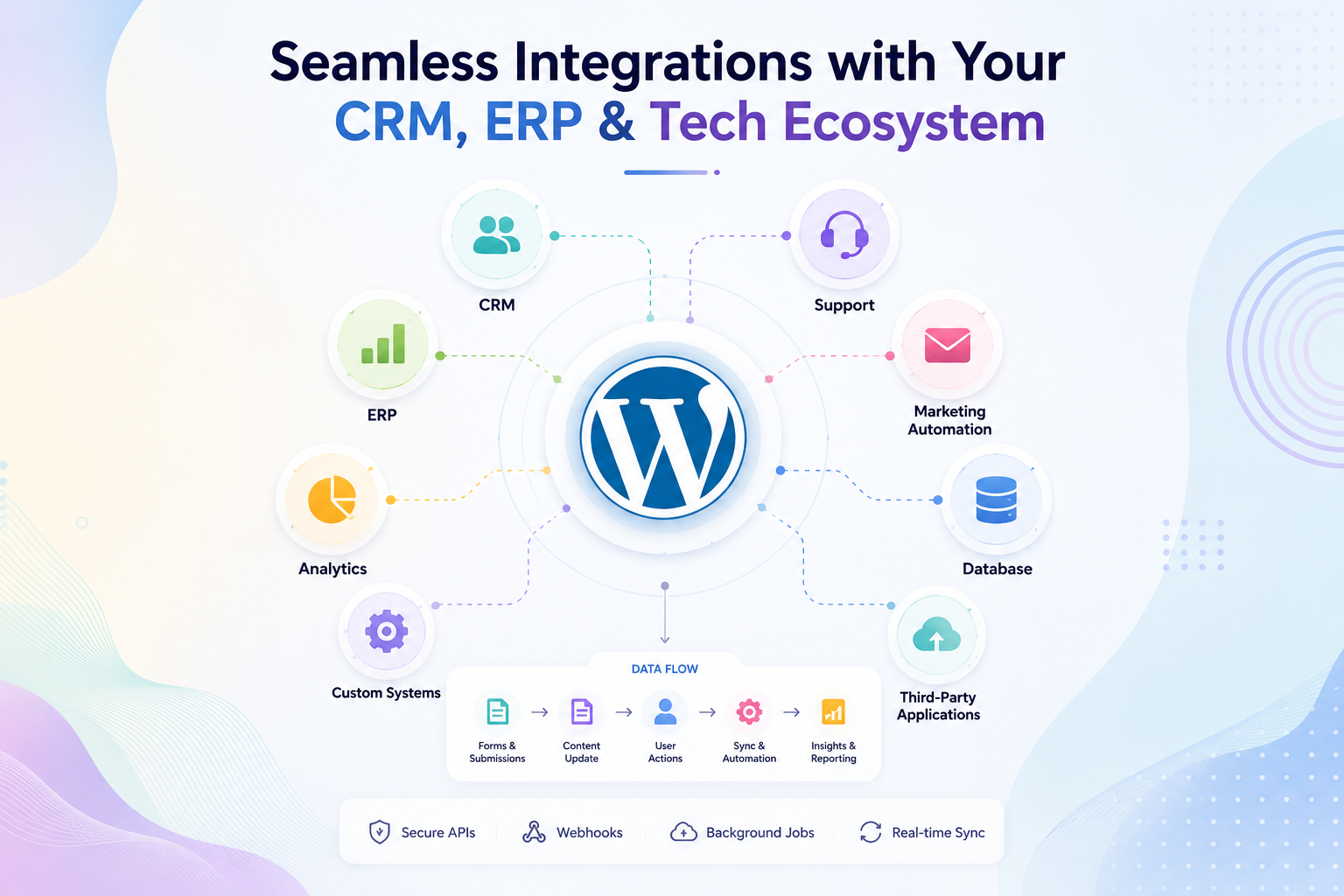
WordPress connects to CRM, ERP, marketing automation, and analytics via the REST API, webhooks, and vetted middleware. Leads flow into Salesforce or HubSpot automatically. Orders route to ERP systems. Events feed analytics and marketing automation platforms.
Governance layer
Version control, CI/CD pipelines, staging environments, code review processes, and role-based access controls for both content editors and system administrators. This is what separates enterprise WordPress from an ad-hoc install, the discipline around how changes are reviewed, tested, and deployed.
Together, these layers describe a structured, multi-tier stack comparable to any modern enterprise CMS, built on open standards, not on vendor-controlled infrastructure.
5. Performance: Can WordPress Handle Enterprise Traffic? {performance}
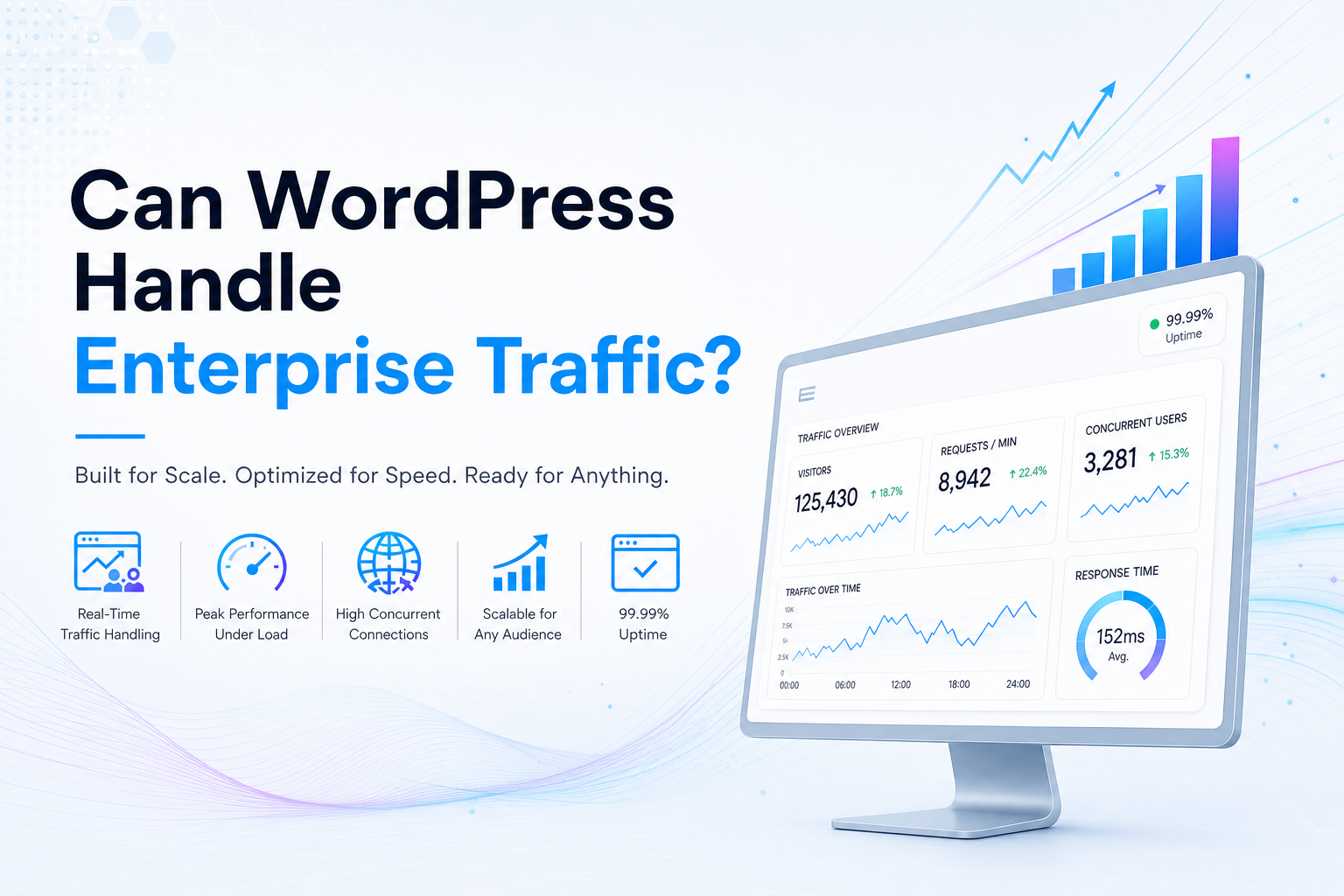 The concern that WordPress will buckle under serious load almost always comes from experience with the wrong implementation, a shared hosting environment, poorly configured plugins, or a codebase that was never built for scale. A properly architected enterprise WordPress setup tells a very different story.
Performance at enterprise scale starts with infrastructure. Multiple application servers behind a load balancer mean traffic can be distributed and scaled horizontally. No single server becomes the point of failure during a campaign launch, major news event, or seasonal traffic surge.
Caching does the critical heavy lifting. Object caching stores frequent database queries in memory, reducing database load dramatically. Full-page caching serves popular pages directly from cache rather than rebuilding them on every request. A global CDN keeps static assets and cached pages close to users in different regions, cutting latency and reducing origin server load simultaneously.
Front-end performance compounds those infrastructure gains. Optimized images, minified CSS and JavaScript, and lazy loading improve Core Web Vitals, the performance signals Google uses directly in ranking decisions. That means better organic visibility as well as faster perceived speed.
For enterprise organizations that want to go further, a dedicated WordPress SEO strategy ensures your site structure, page speed, and content architecture are all working together to drive organic growth, not just pass a performance audit.
Stability comes from process discipline. Staging environments and CI/CD pipelines ensure updates are tested before they reach production. Monitoring and alerting help teams identify bottlenecks early, before users feel an impact.
This is how enterprise WordPress deployments handle high-traffic product launches, breaking news cycles, or global campaigns at scale, not through hope, but through architecture.
6. Security and Compliance at Enterprise Scale {security}
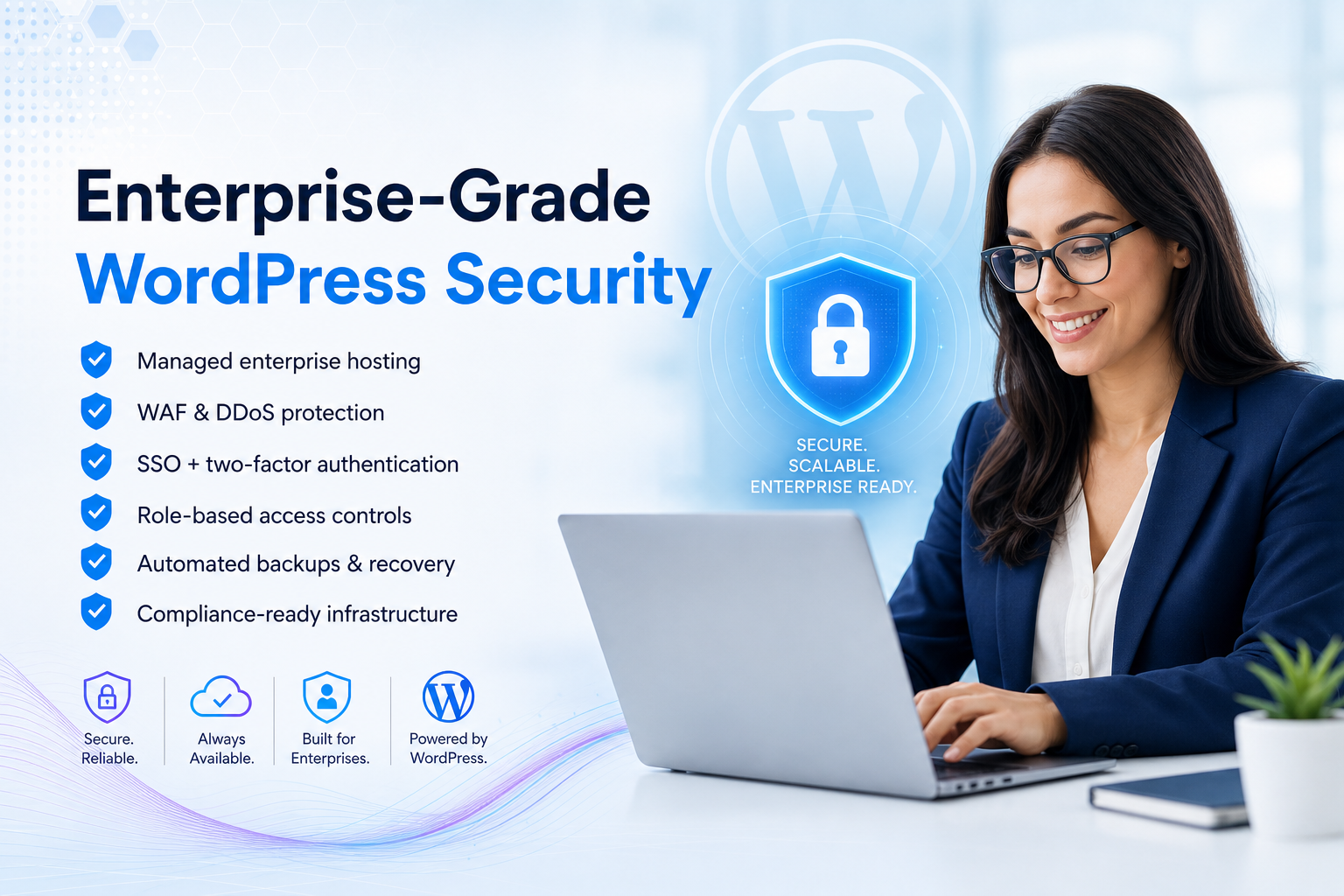
"Is WordPress secure enough for enterprise?" is almost always the first serious question. The accurate answer is: enterprise-grade WordPress security is entirely achievable, but it comes from the full stack, not from the CMS core alone.
WordPress core is maintained by a dedicated security team and a global contributor community. Vulnerabilities are disclosed, patched, and released with notable speed. Because the codebase is open, independent security researchers actively review it, a structural advantage over closed systems where vulnerabilities can persist undetected.
The vast majority of security incidents in WordPress environments trace back to weak implementation, not the platform itself. Cheap shared hosting, outdated or abandoned plugins, and administrator accounts without basic access controls create the openings that attackers exploit. Enterprise WordPress closes those openings systematically.
Infrastructure-level protections:
- Managed or enterprise-grade hosting with SOC 2 or ISO-aligned controls
- Web application firewall and DDoS protection in front of the application
- Encrypted traffic (TLS) across all layers, regular automated backups, and tested disaster recovery procedures
Application and access controls:
- Role-based permissions with least-privilege access by default
- SSO/SAML integration with your existing identity provider
- Enforced two-factor authentication for all admin and editorial accounts
- Comprehensive audit logs capturing who changed what, and when
Process controls:
- A formal patching process for WordPress core, plugins, and themes, tested in staging before production deployment
- Annual security risk assessments, documented and retained
- Clear incident response procedures with defined ownership
For enterprise teams that need ongoing assurance rather than ad-hoc fixes, a dedicated WordPress maintenance service handles core updates, plugin patching, security monitoring, and backups on a structured schedule so your security posture never depends on someone remembering to run updates
For compliance, WordPress can support GDPR, CCPA, HIPAA-adjacent requirements, and similar frameworks when paired with the right hosting environment, data handling policies, and legal review. In regulated industries, it commonly operates within segmented environments with additional access controls layered on top.
Enterprise WordPress security is not a checkbox exercise. It is a structured, documented program, exactly like security for any other serious enterprise platform.
7. Integrations: CRM, ERP, and Your Existing Tech Stack {integrations}
Enterprise websites don't operate in isolation. They sit at the center of a technology ecosystem, CRM, ERP, marketing automation, analytics, support platforms, and often custom internal systems. If your CMS cannot connect to these tools cleanly, you end up with manual exports, duplicate data, missed follow-ups, and a marketing team working around the system rather than through it.
WordPress is architecturally built for this kind of connectivity. The REST API provides a standardized interface for other systems to read and write content and data. Webhooks and background jobs can trigger external actions automatically when a form is submitted, a content item is published, or a user completes an action on the site.
The integration ecosystem is mature. Well-maintained plugins and connectors link WordPress natively to Salesforce, HubSpot, Marketo, Pardot, Microsoft Dynamics, and SAP. For more complex data flows, middleware and iPaaS solutions can sit between WordPress and internal systems, handling data transformation and routing while WordPress remains focused on content management and front-end delivery.
In practice, this is how enterprise WordPress sites function as the visible front end of a much larger digital ecosystem with leads flowing automatically into CRM, transactions routing to ERP, behavioral events feeding analytics and marketing automation, and audience data syncing to campaign platforms. WordPress acts as the conversion surface and content hub, not another isolated data silo.
8. UX, Conversion, and Appointment Generation {ux}
Infrastructure, security, and integrations are the foundation. But for most business leaders, the real test is whether the website turns visitors into inquiries, qualified leads, and booked appointments. This is where a well-built enterprise WordPress setup delivers its most visible business impact.
Page and journey design.
With Gutenberg and custom block libraries, marketing teams can assemble high-converting landing pages from approved components, headlines, benefit sections, testimonials, pricing modules, FAQs, CTAs, without starting from scratch each time. That consistency reduces design drift and speeds up campaign deployment significantly.
Forms and booking flows.
WordPress supports advanced form builders and booking integrations that can be designed for conversion, short, focused fields, multi-step progress flows, mobile-optimized layouts. When a visitor completes a form or selects an appointment slot, that data flows directly into CRM or calendar systems rather than sitting in an email inbox waiting for manual entry.
Testing and iteration.
A/B testing tools integrate directly with WordPress, allowing marketing teams to test headlines, layouts, and CTAs without full development cycles. Heatmaps and session analytics identify where users drop off. Changes to a block, a form sequence, or a page section can often be deployed and measured within hours.
Measurement and attribution.
Event tracking and conversion pixels connect WordPress to analytics and advertising platforms, allowing teams to tie specific pages and flows to actual business outcomes, appointments booked, demos requested, leads generated, and trace those back to the campaigns and channels that drove them.
Enterprise WordPress sites that are properly built function as active conversion engines, not passive content repositories. Your marketing and sales teams can continuously shape, test, and improve the experience without waiting for the next development sprint.
Why Enterprise Sites Lose Appointments, And How WordPress Fixes It
|
Problem |
Why It Happens |
Enterprise WordPress Fix |
|
Slow or unstable pages |
Weak hosting, no caching or CDN |
Tuned infrastructure, full-page and object cache, global CDN |
|
Long, confusing forms |
Single large form, no guidance |
Multi-step focused forms with progress indicators |
|
No follow-up on partial leads |
No CRM or calendar integration |
REST API + CRM sync with automated follow-up sequences |
|
Poor mobile booking experience |
Desktop-first layouts, heavy assets |
Block-based responsive design with image optimization and lazy loading |
These problems appear on any CMS. The advantage of enterprise WordPress is how quickly you can diagnose and fix each one, without waiting months for a vendor release cycle.
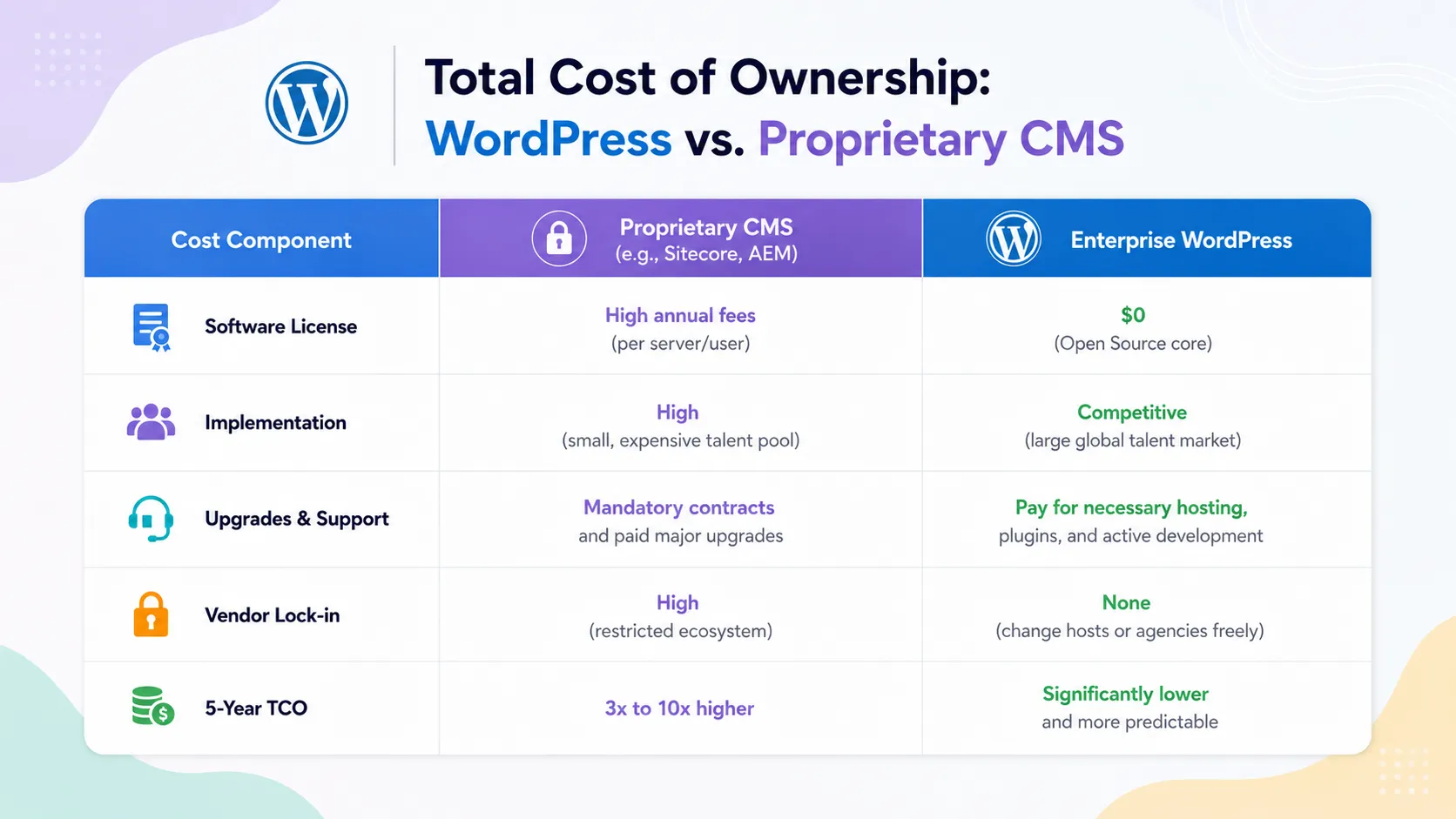
9. Total Cost of Ownership: WordPress vs. Proprietary CMS {tco}
Platform selection determines your digital spend over a multi-year horizon. Traditional platforms require recurring license fees and expensive specialist developers. Enterprise WordPress directs that same budget toward actual feature development and infrastructure.
10. Brands Already Running Enterprise WordPress {proof}
It's one thing to describe what enterprise WordPress can do. It carries more weight to point to where it already operates at scale, under real organizational pressure.
Media and publishing.
Global outlets, including TIME, TechCrunch, and BBC America run custom WordPress environments that support large editorial teams, complex publishing workflows, and traffic spikes during major news cycles. Content changes minute to minute. Audiences are global. Performance and stability are non-negotiable.
Corporate and brand hubs.
The Walt Disney Company and Sony Music manage multiple brand properties and artist sites from shared WordPress foundations. Multisite architectures allow centralized governance and design consistency while giving local teams the autonomy to manage their own content.
Technology, government, and education.
Microsoft runs newsrooms and resource hubs on WordPress, where content velocity is high and the audience is sophisticated. Government portals and large university systems manage hundreds of sites on centralized WordPress installs, meeting strict standards for accessibility, uptime, security, and compliance.
What these deployments share is not a category, it's a pattern. High traffic, complex content structures, multi-brand or multi-region requirements, and high organizational stakes. These are not side projects. They are core digital infrastructure. And they run on WordPress.
11. How to Migrate or Grow Without Disruption {migration}
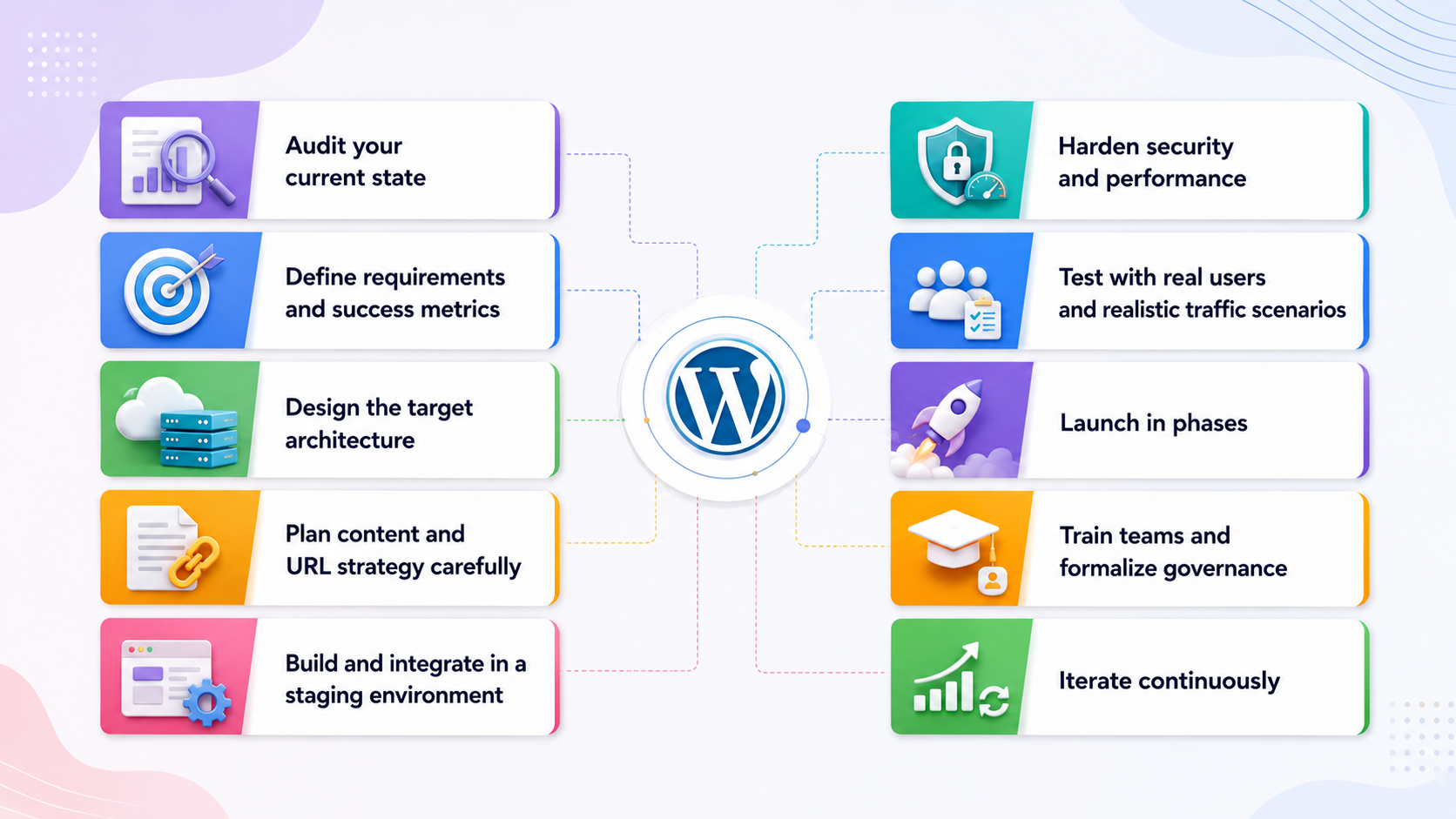
A move to enterprise WordPress doesn't require taking the business offline or accepting months of uncertainty. With the right plan and the right partner, organizations can transition platforms or mature an existing stack while continuing to serve customers throughout.
Step 1, Audit your current state.
Review performance, uptime, security posture, UX quality, SEO health, and integration dependencies. Document what works well, what is actively failing, and what your teams complain about most often. This becomes the baseline your new architecture improves against.
Step 2, Define requirements and success metrics.
Align stakeholders on must-have outcomes: traffic targets, compliance requirements, key system integrations, content types, editorial workflows, and lead or appointment goals. Agree on how success will be measured six and twelve months post-launch.
Step 3, Design the target architecture.
Select a hosting and infrastructure approach, managed WordPress, cloud, or hybrid. Define the application, infrastructure, integration, and governance layers that your enterprise WordPress stack will require.
Step 4, Plan content and URL strategy carefully.
Map existing content to new structures. Define redirect rules to protect organic search equity accumulated over years. Decide what content to migrate, rewrite, prune, or retire.
Step 5, Build and integrate in a staging environment.
Implement design systems, block libraries, and templates. Connect CRM, ERP, marketing automation, and analytics platforms. Test data flows end-to-end before anything touches production.
Step 6, Harden security and performance.
Configure caching layers, CDN, and image optimization. Implement WAF, DDoS protection, access controls, and backup routines. Validate Core Web Vitals and complete a security review before launch.
Step 7, Test with real users and realistic traffic scenarios.
Run functional, device, and accessibility testing. Conduct load testing where possible. Collect feedback from internal pilot users before broader rollout.
Step 8, Launch in phases.
Consider rolling out sections, regions, or brands progressively rather than cutting over the entire site at once. Monitor closely. Fix issues at a small scale before expanding.
Step 9, Train teams and formalize governance.
Equip editors, marketers, and administrators with clear guidance on blocks, workflows, and publishing standards. Define ownership for releases, plugin decisions, security updates, and content quality.
Step 10, Iterate continuously.
After launch, review performance, conversion rates, and user feedback on a defined cadence. Use WordPress's flexibility to refine experience, optimize integrations, and pursue improvements without waiting for major rebuild cycles.
For most organizations, partnering with an experienced enterprise WordPress team compresses this timeline, reduces risk, and avoids the predictable mistakes of replatforming while the business is still running.
Ready to evaluate whether enterprise WordPress is right for your organization?
Conclusion: Why WordPress Remains the Smart Choice for Enterprise in 2026
The requirement for an enterprise CMS is straightforward: support scale, security, and complex integrations without forcing a rebuild every few years. When engineered correctly, modern WordPress matches or exceeds proprietary platforms across these metrics.
The difference lies entirely in the implementation. Architecture, hosting, and governance determine whether your deployment succeeds.
At JanBask Digital Design, we transition organizations from legacy platforms to properly engineered, secure WordPress environments. We provide the technical execution required for enterprise-grade performance. Let's discuss your current infrastructure and requirements.
[Request a Free Enterprise WordPress Consultation →]