

Your hospital website books appointments, answers patient questions, collects insurance details, and handles sensitive medical inquiries all day, every day. But here's a question most clinic owners never stop to ask: Is your website actually built to handle all of that safely?
Because according to IBM's 2024 Cost of a Data Breach Report, healthcare remains the most expensive industry for data breaches for the 14th year in a row with the average breach costing $9.8 million. That's not a cybersecurity problem. That's a business survival problem.
And your website? It's often the weakest link in the chain.
In this guide, we're breaking down exactly what HIPAA compliant website design means for hospital and clinic owners: no legal jargon, no scare tactics. You'll learn which parts of your website actually need compliance (hint: not all of them), what features a compliant site must have, the mistakes that get healthcare providers fined, and the healthcare website development strategies that keep security and patient experience working together. By the end, you'll know whether your current website is putting your practice at risk and exactly what to do about it. Let's get into it.
What Is HIPAA and Why Does It Apply to Your Medical Website?

You've heard of HIPAA. You know it applies to your practice. But does it really apply to your website? Short answer: yes and more of your site is covered than you probably think.
The Health Insurance Portability and Accountability Act (HIPAA) was signed into law in 1996 to protect patients' sensitive health information from being disclosed without their knowledge or consent. Back then, websites were barely a thing. Nobody was booking doctor appointments online or checking lab results through a patient portal.
Fast forward to today, and your website is doing exactly what HIPAA was designed to regulate — collecting, storing, and transmitting patient data. The moment a visitor fills out a contact form with their name and a health question, you're handling Protected Health Information (PHI). That's when HIPAA kicks in.
So What Actually Counts as PHI on a Healthcare Website?
PHI is any information that can identify a patient and relates to their health condition, treatment, or payment. On a website, that includes more than most people realize:
- Contact forms that ask for name, email, and the reason for inquiry
- Online appointment booking systems that capture personal and medical details
- Live chat conversations where a patient describes their symptoms
- Patient portals where individuals log in to view records or test results
- Intake forms submitted before a first appointment
Think about your own website for a moment. How many of those touchpoints do you have? If the answer is more than one, keep reading.
Who Is Required to Comply?
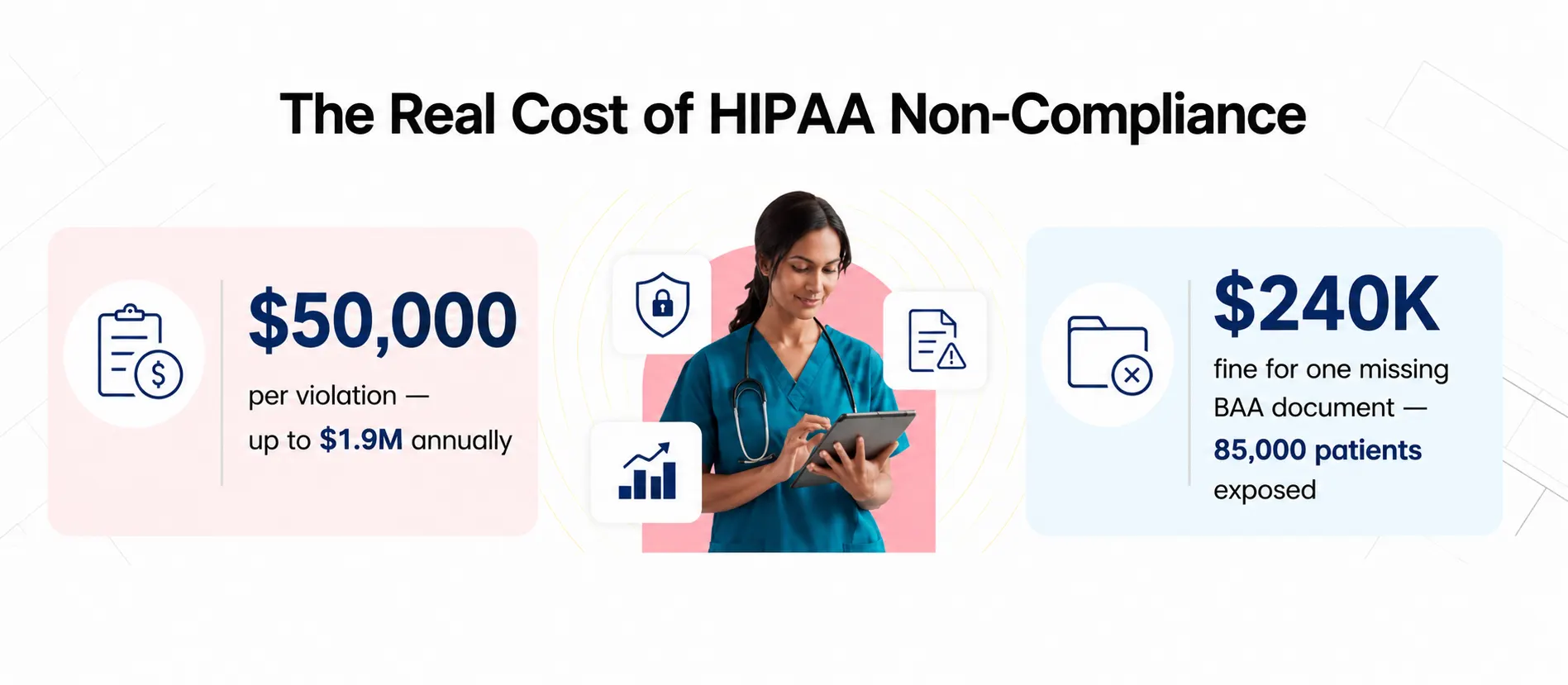
Covered entities, hospitals, clinics, private practices, labs, and health insurance providers, must comply with HIPAA. But here's the part that trips people up: so do business associates, every third-party vendor that handles PHI on your behalf. That includes your web host, CRM, form tool, live chat provider, and email marketing platform. If they touch patient data and there's no signed Business Associate Agreement (BAA) in place, you're already in violation.
Key HIPAA Requirements That Impact Healthcare Website Design
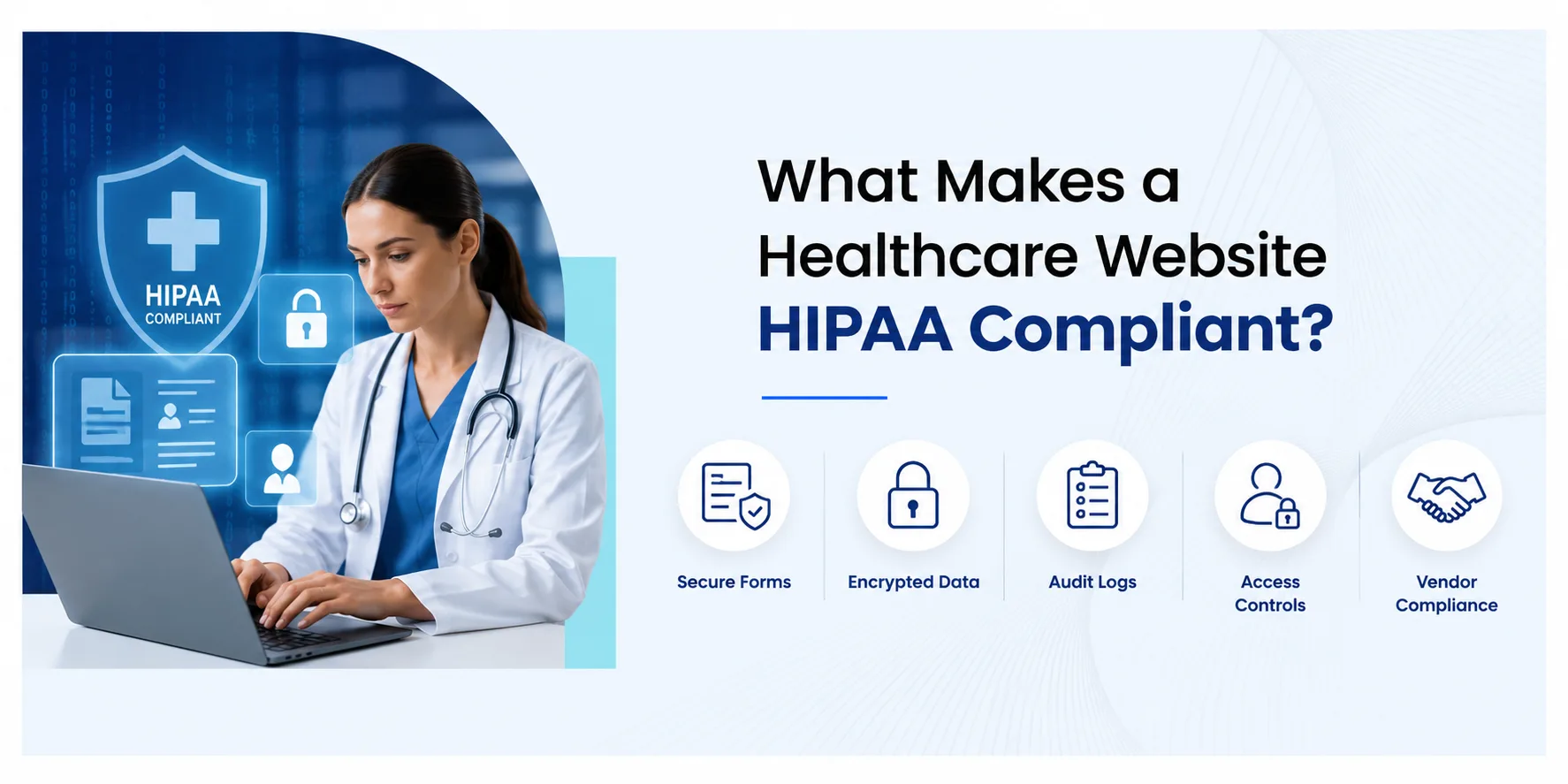 Here's something that surprises a lot of clinic owners: HIPAA isn't one rule. It's a framework of regulations, and three of them directly shape how your website needs to be built. Understanding these isn't just useful — it's essential if you want to have an informed conversation with your web design agency.
The Privacy Rule - Controlling What You Collect
The Privacy Rule governs how PHI is collected, used, and shared. For your website, this means you need clear, compliant privacy notices — and you cannot collect more patient data than necessary. Every form field has implications. Asking for a patient's date of birth on a general inquiry form? That could already be a problem if it's not handled correctly.
The Security Rule - Protecting What You Store
The Security Rule covers technical safeguards for electronic PHI (ePHI). Think encryption, access controls, audit logs, and more. This is the rule that most directly shapes the technical architecture of a compliant website — and the one most general-purpose web agencies don't know well enough to implement correctly.
The Breach Notification Rule - Being Ready When Things Go Wrong

Nobody wants to think about a breach. However, if patient data is ever compromised, the law requires you to notify affected individuals, the HHS, and potentially the media within 60 days—a high-stakes process that demands your website be built for rapid detection through audit logs and incident response procedures. This is particularly critical during a relaunch, where security gaps often hide in old URL structures or forgotten pages; by following a website redesign SEO checklist, you can ensure your transition to a HIPAA-compliant architecture doesn't just protect your data, but also protects your hard-earned search rankings from broken links and indexing errors.
Core Features of a HIPAA Compliant Medical Website
Here's something that surprises a lot of clinic owners: HIPAA isn't one rule. It's a framework of regulations, and three of them directly shape how your website needs to be built. Most people hear "HIPAA compliance" and think it's purely a clinical or administrative concern, something handled by your compliance officer and filed away. But the moment your website collects a patient's name, books an appointment, or lets someone log into a portal, it becomes part of your HIPAA footprint whether you planned for it or not.
The reality is that your website sits at the intersection of patient experience and data regulation. Every form field, every third-party tool you embed, every hosting decision — all of it has compliance implications that most general web agencies simply aren't trained to think about. Getting this right doesn't require a law degree, but it does require understanding which rules apply and why. Understanding these three core requirements isn't just useful, it's essential if you want to make informed decisions about your website, ask the right questions of your web design agency, and avoid the kind of costly mistakes that are entirely preventable.
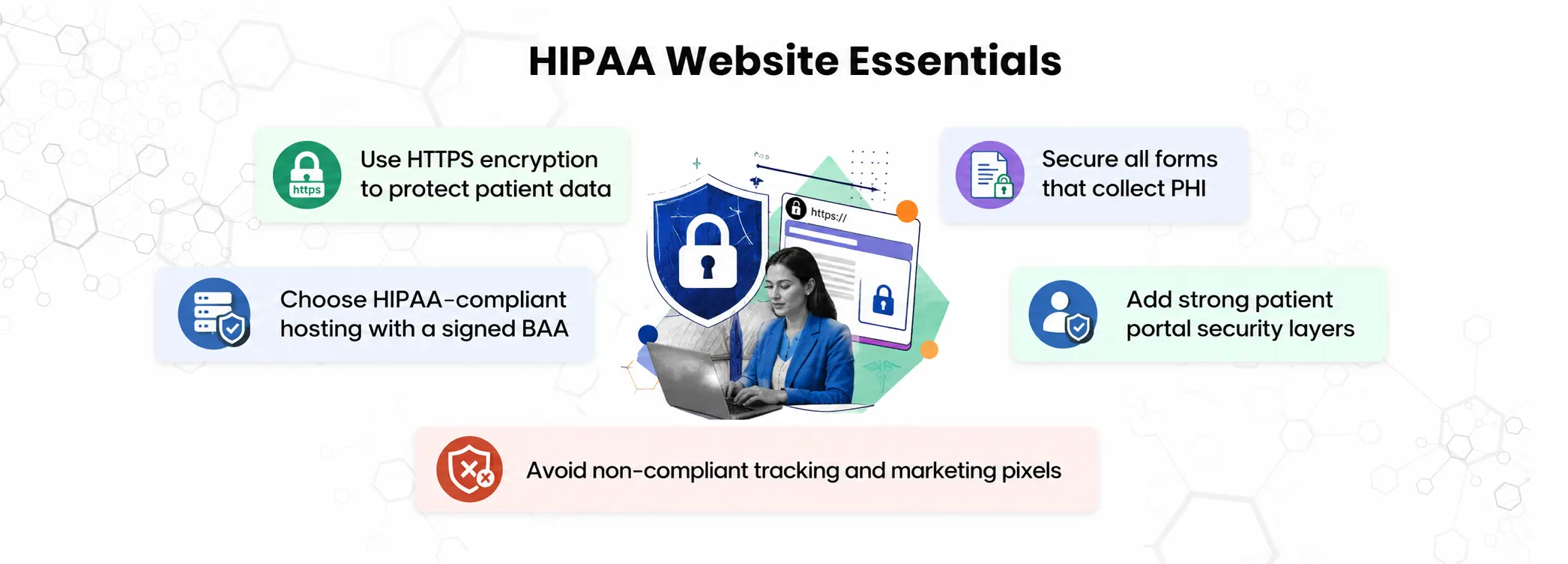
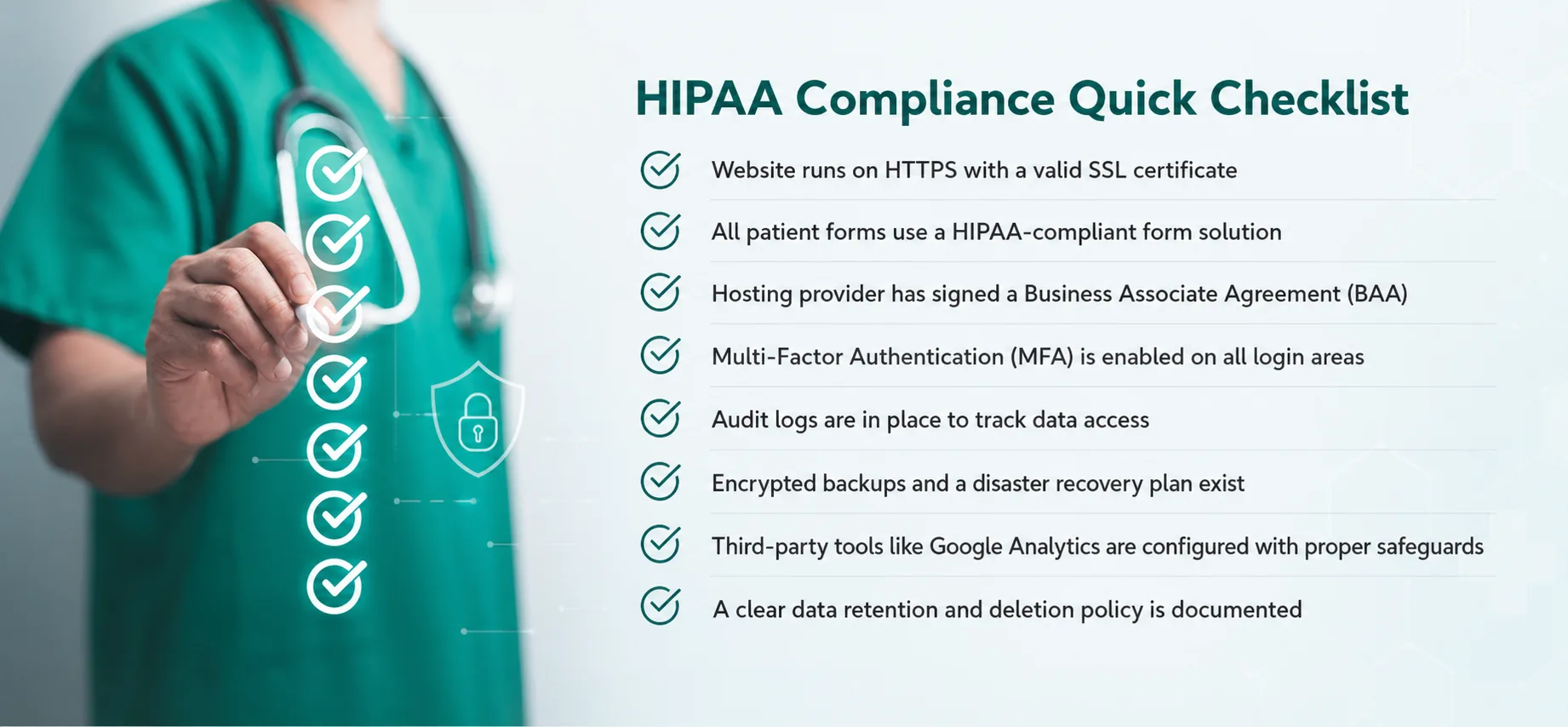
1. SSL/TLS Encryption (HTTPS) - The Absolute Baseline
Open a new tab right now and look at your website's address bar. Does it say HTTPS or HTTP? If it's HTTP, stop reading and fix that first — everything else is secondary.
SSL/TLS encryption secures the connection between a patient's browser and your server. Without it, every form submission, login credential, and patient detail travels across the internet in plain text. Anyone who intercepts that connection can read it. This isn't a HIPAA-specific requirement — it's basic digital hygiene. But HIPAA absolutely requires it.
Quick check: Your browser shows a padlock icon next to the URL on HTTPS sites. No padlock? Your site isn't encrypted.
2. Secure Contact & Intake Forms, Not All Form Plugins Are Created Equal
This is one of the most common compliance gaps we see on healthcare websites. Standard contact form plugins, Contact Form 7, WPForms free tier, Gravity Forms on basic hosting, were built for general websites. They're not HIPAA compliant. They often store form submissions directly in your WordPress database without encryption, and they don't come with the BAA coverage required for ePHI.
Ask yourself: when a patient fills out your 'Book an Appointment' form, where does that data go? If you don't know the answer, that's a problem worth solving today.
A compliant form solution must encrypt data in transit and at rest, avoid storing PHI on non-compliant servers, and come backed by a signed BAA from the vendor.
3. HIPAA-Compliant Hosting - Your Web Host Matters More Than You Think
Here's a scenario that plays out more often than it should: a clinic spends months building a beautiful, well-designed website, only to discover their hosting provider won't sign a Business Associate Agreement. That means every patient form submission, every appointment request, every portal login, all of it passes through servers that aren't covered under HIPAA.
Standard shared hosting, Bluehost, SiteGround, basic WP Engine tiers, will not sign a BAA. Squarespace won't either. Without that agreement, any PHI touching their servers is a violation.
What to look for: Hosting providers that offer HIPAA-compliant plans and will sign a BAA include AWS, Azure, Google Cloud (enterprise tier), Liquid Web, and Nexcess. Always get the BAA signed before launching any patient-facing feature.
4. Patient Portal Security, Multiple Layers, Not Just a Password
If your website includes a patient portal, a username and password alone is not sufficient protection under HIPAA. Portals that store or display ePHI need several security layers working together:
- Multi-factor authentication (MFA) - adds a second verification step beyond the password
- Session timeouts - automatically logs out inactive users so an unattended device can't be accessed
- Role-based access controls - staff should only see the patient data relevant to their specific role
- Audit logs - a complete, tamper-proof record of every login, access event, and data change
Think of these not as inconveniences, but as the digital equivalent of keeping patient files in a locked cabinet - except the stakes are much higher.
5. Cookie & Tracking Policy - This Is Where Most Hospitals Get Caught

The legal landscape for tracking pixels is shifting rapidly, and many clinics are finding themselves at risk simply for trying to measure their marketing ROI. If you’re worried about the compliance risks of standard marketing pixels, pivot your strategy toward targeted healthcare SEO services We focus on building your practice’s E-E-A-T (Experience, Expertise, Authoritativeness, and Trustworthiness) through authoritative content clusters and medical schema. This approach allows you to grow your patient base and appear at the top of search results by driving high-intent traffic through authority and trust—rather than invasive tracking ensuring you rank without ever compromising patient privacy or violating HHS guidelines.
6. Secure File Uploads - Don\'t Overlook This One
Does your website let patients upload documents, medical records, prescriptions, insurance cards, referral letters? If so, that upload mechanism is handling some of the most sensitive PHI on your entire site. Off-the-shelf file upload widgets are not HIPAA compliant. The upload must be encrypted end-to-end, and files must land in a HIPAA-compliant storage environment, not a generic cloud folder.
7. MFA, Audit Logs, and Data Backup Protecting the Backend Too
Patient-facing security gets most of the attention. But your website's backend is just as exposed, maybe more so, because it's where everything is stored. HIPAA requires:
- MFA for all admin and staff logins - not just for patients accessing portals
- Comprehensive audit logs - tracking who accessed what, when, and from where
- Encrypted, regular data backups - stored in a HIPAA-compliant environment with tested, documented recovery procedures
If your hosting plan doesn't include automated backups to a compliant environment, you're one server failure away from a very bad day.
Common HIPAA Compliance Mistakes in Healthcare Websites
So what does a HIPAA compliant website actually look like under the hood? Most clinic owners assume it's about having a privacy policy and an SSL certificate check those two boxes, and you're covered. But HIPAA compliant medical website design goes much deeper than surface-level badges and legal disclaimers. It's about how your entire site is architected: where patient data is stored, how it travels, who can access it, and what happens if something goes wrong. A website can look completely professional, load fast, rank on Google, and still be putting your practice at serious legal risk underneath because compliance isn't visible to the eye. It lives in your server configuration, your form tool, your hosting agreement, and your access controls.
Here's what makes this so easy to get wrong: every interaction on your website that involves a patient, a contact form submission, an appointment booking, a portal login, a file upload is a potential compliance gap if the site wasn't built with HIPAA in mind from day one. That's exactly why so many healthcare websites are accidentally non-compliant. Not because anyone cut corners intentionally, but because nobody asked the right questions when the site was being built. Let's make sure that changes. Below are the seven non-negotiable features your medical website needs and why skipping even one of them is a risk your practice can't afford.
Using Standard Contact Forms or Live Chat Tools
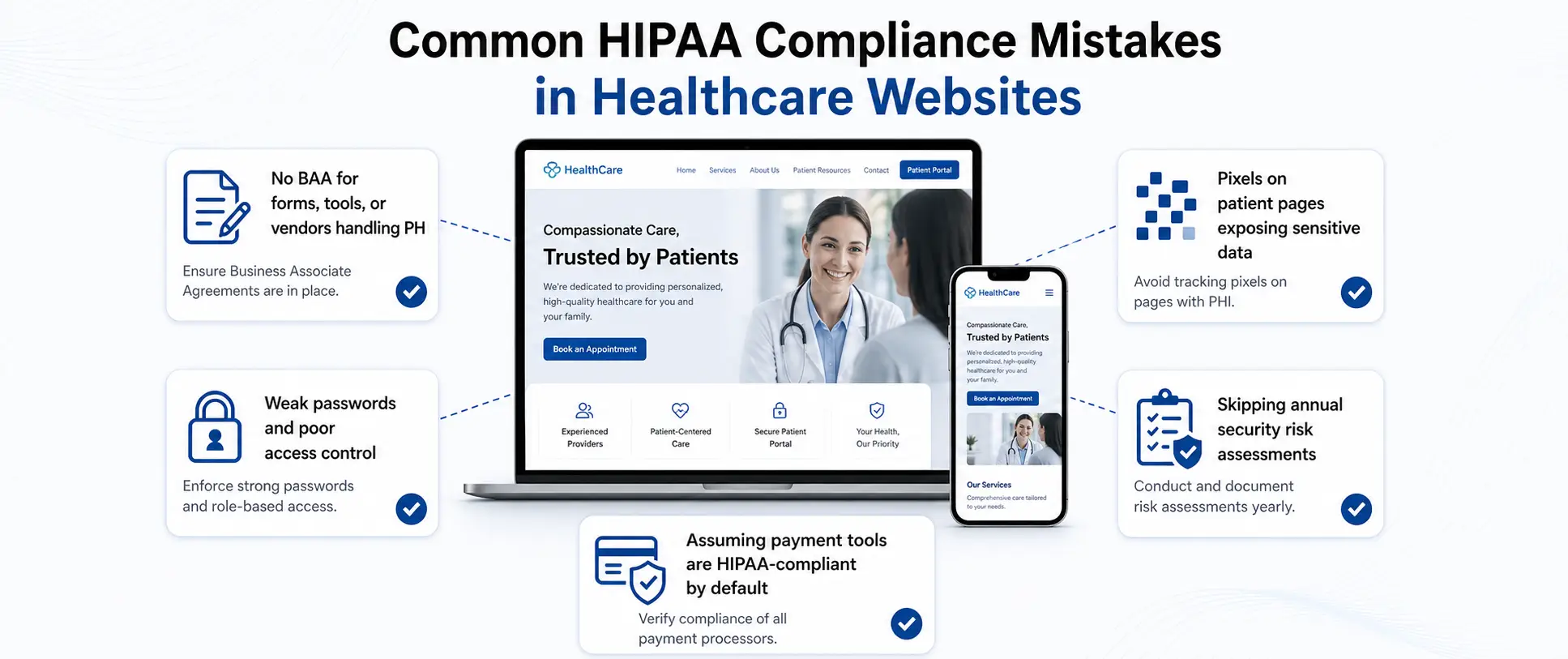
Still using Contact Form 7 or a standard live chat widget? If it stores submissions in your WordPress database or doesn't come with a BAA, you're exposed every time a patient types in a symptom, a medication name, or a reason for their visit. That's not a theoretical risk, that's PHI sitting unencrypted on a non-compliant server right now.
Running Meta Pixel or Google Ads Tags on Patient Pages
This has become one of the biggest legal flashpoints in healthcare digital marketing. Since 2022, dozens of health systems have faced class-action lawsuits for running standard marketing pixels on patient-facing pages with settlements exceeding $18 million per case. The pixel quietly transmitted patient behavior data to Meta and Google without patient consent.
Ask your marketing team today: where exactly does your Meta Pixel fire? If the honest answer is "everywhere," that needs to change immediately. Pixel tags should never fire on appointment booking pages, portal login pages, or any page where a patient's condition or identity could be inferred.
No BAA With Key Vendors The Single Most Common Violation
Your hosting provider, CRM, email marketing tool, form builder, live chat service, analytics platform any vendor that could conceivably touch PHI needs a signed BAA before data starts flowing to them. No BAA means no compliance, full stop, regardless of how secure the vendor claims their infrastructure is.
Pull up your vendor list right now. How many of them have signed a BAA? If you're not sure, assume the answer is not enough.
Weak Password Policies for Admin and Staff Portals
HIPAA requires reasonable, documented access controls. Using simple passwords, never rotating credentials, or sharing admin logins across multiple staff members all violate the Security Rule. Implement a password manager policy for your team and enforce MFA on every admin account not just when it's convenient.
Skipping Annual Security Risk Assessments
HIPAA mandates annual security risk assessments. Not every few years. Not when something feels wrong. Every. Year. Most small practices skip this entirely, often because they don't know it's a legal requirement. A security risk assessment reviews your data environment, surfaces vulnerabilities, and documents your remediation plan. No documentation means no defense if you're ever audited.
Assuming Stripe or Other Payment Tools Are Automatically Compliant
This one catches a lot of clinic owners off guard. Stripe is PCI-DSS compliant for payment card processing but PCI and HIPAA are completely separate standards. If your payment integration collects health service details alongside billing information (which it often does), you need to verify HIPAA compliance separately. Stripe does offer a BAA under specific enterprise arrangements, but you have to request it. It's not the default. Never assume.
Designing Medical Website for Compliance Without Sacrificing UX
Modern compliance doesn’t have to be clunky or intimidating for your visitors. The best healthcare sites balance strict security protocols with empathy-driven design. By following the latest healthcare UI/UX design trends, you can create a patient portal that is both fully secure and incredibly intuitive, even for elderly patients or those in high-stress situations. When security features like MFA or session timeouts are designed with the user in mind, they build confidence rather than frustration.
Can Security Features Actually Improve the Patient Experience?
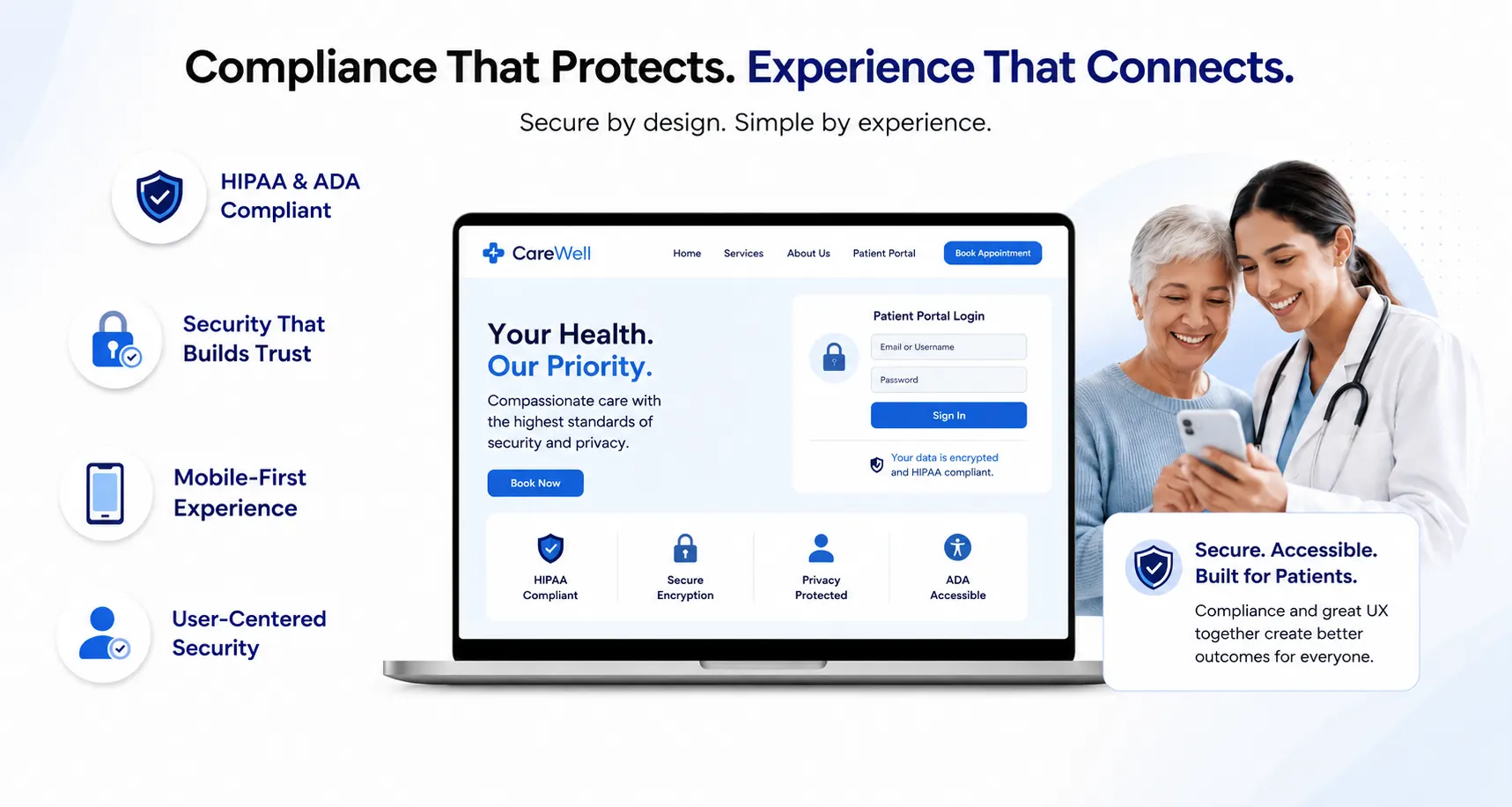
Actually, yes. Session timeouts and MFA prompts can feel like friction, but clear, well-designed implementations reduce confusion. A progress indicator on a multi-step secure intake form reassures patients that the process is working. Auto-save functionality (in compliant storage) means patients don't lose their work if they step away. Simplified but secure authentication flows build confidence rather than frustration.
The question isn't 'how do we make compliance less annoying?' It's 'how do we design security in a way that makes patients feel cared for?' Those are very different design briefs and the second one leads to much better outcomes.
HIPAA and ADA: Two Compliance Layers, One Website
Here's something many clinic owners don't realize: HIPAA and ADA (Americans with Disabilities Act) compliance are separate requirements that your website must satisfy simultaneously. In May 2024, HHS finalized a rule requiring healthcare providers to meet WCAG 2.1 AA ADA accessibility standards by May 2026. That means sufficient color contrast, keyboard navigation, screen reader compatibility, and descriptive alt text on images across your entire site.
The good news? Accessible design and secure design tend to align naturally. Clear form labeling, logical page flow, plain-language content these benefit patients with disabilities and patients in a hurry equally. Build for both, and you've built a better website for everyone.
Make Your Compliance Visible It Builds Trust
Compliance shouldn't just live in your server architecture. It should be visible to patients who are deciding whether to trust you with their health information. Think about what a first-time visitor sees when they land on your appointment booking page. Do they see signals that say 'this is safe'? They should.
- SSL padlock visible in the browser bar and consider a short 'Your data is encrypted' note near form fields
- HIPAA compliance statement or badge near forms and patient portals
- A plain-English privacy policy that explains what you collect and why linked clearly from every page
- A cookie consent banner that's honest and specific, not just legalese
These aren't just good practice. They directly reduce patient hesitation at your most critical conversion points: the form, the booking widget, the portal login. Security and conversion rate optimization, working together.
Mobile-First Is Non-Negotiable
Over 60% of healthcare website traffic now comes from mobile devices. A patient looking up your clinic after a doctor's referral, or booking a follow-up appointment from their phone that's your mobile visitor. Your HIPAA-compliant design must work flawlessly on a 4-inch screen: responsive layouts, large tap targets on form fields, readable font sizes, and fast load times. Don't build a secure desktop site and a leaky mobile experience. They're the same site, and both need to be compliant.
Choosing the Right Web Design Partner for HIPAA Compliance Healthcare Website
Here's a scenario worth sitting with: you hire a talented web agency, you get a beautiful new website, patients love the redesign and six months later you discover the contact forms aren't HIPAA compliant, your host won't sign a BAA, and there are Meta Pixels firing on your appointment booking page.
This happens more than the industry likes to admit. Most general-purpose web agencies simply don't know what they don't know about HIPAA. That makes choosing the right partner one of the most important compliance decisions you'll make.
5 Questions to Ask Any Web Design Agency Before You Sign
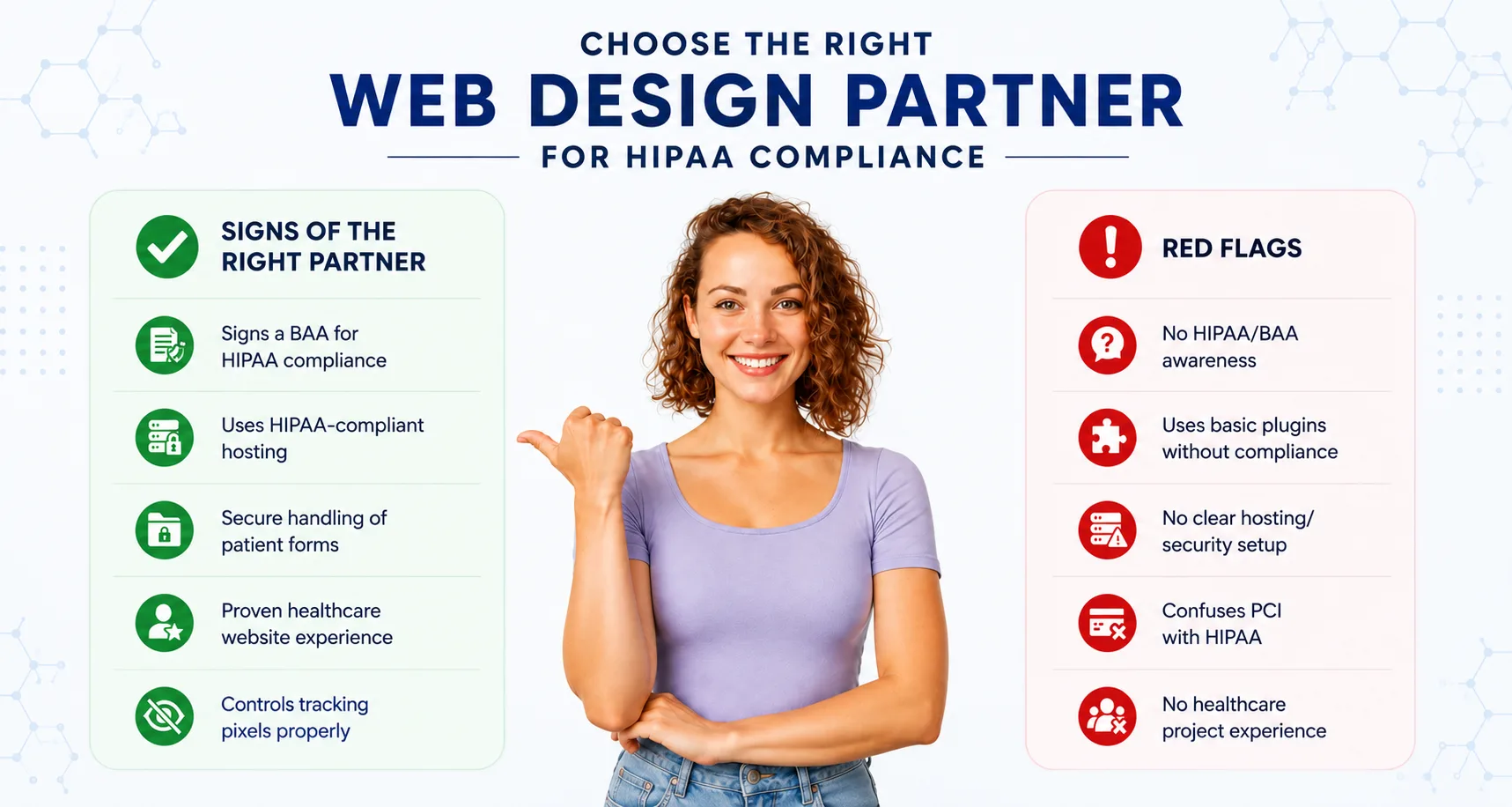
- Will you sign a Business Associate Agreement? If the answer is no, hesitation, or 'what's that?' end the conversation. Any agency building a healthcare website must be willing to sign a BAA.
- What hosting environment do you use for healthcare clients? Look for agencies that name a specific HIPAA-compliant hosting partner and can confirm a BAA is in place with that provider.
- How do you handle patient form submissions? They should be able to describe encryption at rest and in transit, name the specific form tool they use for healthcare clients, and explain where that data is stored.
- Have you built HIPAA-compliant websites before? Experience matters here. Ask for examples and references — and ask those references specifically about the compliance process, not just the design quality.
- How do you manage third-party tracking tags on healthcare sites? They should have a clear, documented policy on where pixels fire — and a default of not firing on any patient-facing pages without explicit review.
Red Flags That Should Make You Walk Away
- Agency proposes using standard WordPress form plugins without mentioning HIPAA compliance at all
- No mention of hosting partner, server environment, or BAA coverage in their proposal
- They conflate PCI-DSS compliance (for payment processing) with HIPAA compliance these are completely different standards
- No process for security risk assessment, compliance audit, or ongoing security review
- They can't name a single other healthcare client they've built a compliant site for
How JanBask Digital Design Helps Healthcare Clients
At JanBask Digital Design, healthcare compliance isn't a checkbox we tick at the end of a project; it's built into how we scope, design, and launch every healthcare website. We sign BAAs as standard. We work with HIPAA-compliant hosting partners. We use encrypted, compliant form solutions. We audit every third-party integration before it goes live.
And we understand that compliance alone doesn't win patients. Every site we build for hospitals and clinics is designed to be genuinely conversion-optimized because a secure website that nobody uses isn't doing your practice any good either.
Conclusion
Your website is a patient touchpoint, a data collection tool, and a regulatory responsibility all wrapped into one. HIPAA compliance can't be retrofitted after launch. It needs to be designed in from the very beginning: from your hosting choice to your form tool, from your analytics setup to your staff login policies.
The cost of getting it wrong , $9.8 million on average for a healthcare data breach far exceeds the investment in getting it right. And beyond the fines, there's something even harder to recover from: the trust of your patients.
So let's leave you with one final question: when did someone last audit your website for HIPAA compliance? If the honest answer is never, or you're not sure, that's where to start.