

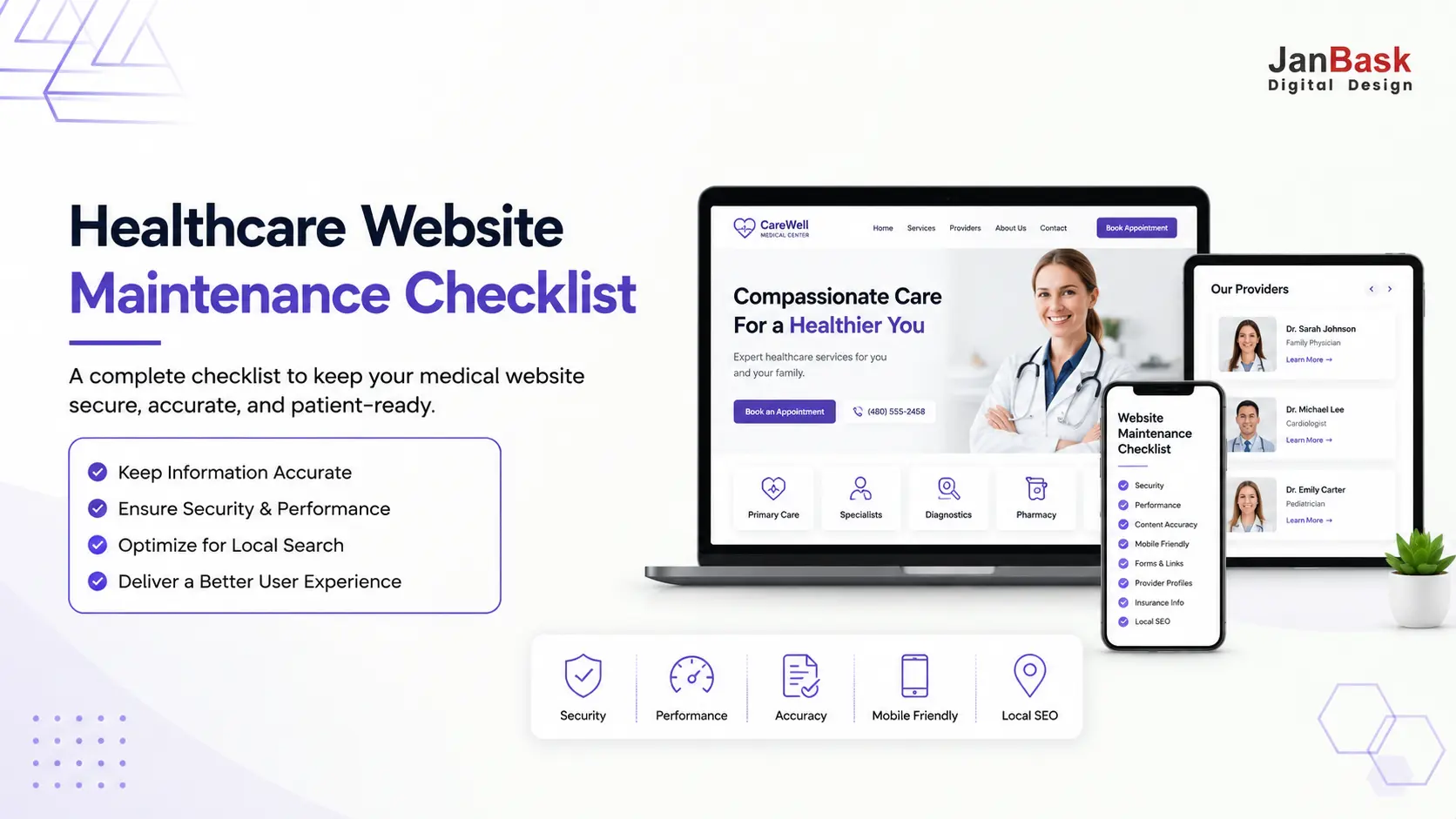
Healthcare website maintenance is the ongoing process of monitoring, updating, and improving a healthcare website to keep it secure, accurate, compliant, fast, and easy for patients to use. Unlike a one-time launch, maintenance is what keeps appointment forms working, provider information updated, security risks addressed, and patients able to find reliable information when they're choosing. This article covers the areas every practice should review monthly, how often each one actually needs attention, the mistakes that cause most of these problems, and who should be responsible for catching them.
Key Takeaways
- Website maintenance affects patient trust directly, not just SEO ,a broken form or an outdated provider page costs you patients quietly, with no warning.
- Speed matters more in healthcare than other industries, since many searches happen in urgent, symptom-driven moments.
- Provider and insurance accuracy are the highest-stakes items to get wrong, since patients act on this information directly.
- A few things ,SSL, forms, provider changes ,need attention immediately, not just at the next scheduled check.
- Someone needs to actually own this. Many practices don't skip maintenance on purpose; they skip it because nobody was ever assigned to it.
Introduction
When was the last time you actually tested your healthcare website ,not just opened it, but experienced it the way a patient does?
Small website issues rarely announce themselves. An appointment form stops sending inquiries. A page takes too long to load on mobile. A provider who left months ago is still listed on your team page. None of this feels urgent at the moment, but together it creates friction, erodes trust, and gives potential patients a reason to look elsewhere before they ever contact your practice.
The tricky part is that many practices never know these problems are happening. The website is still online, the pages still load, and everything looks normal from the inside, while patients are quietly running into outdated information, slow pages, or a broken path to booking care.
Speed plays a bigger role in this than most people expect. Even small delays can influence whether a patient keeps exploring your site or leaves before ever reaching your booking form. General web research puts the drop-off as steep as a 9% bounce rate at one to two seconds versus 38% at five seconds. That gap matters even more in healthcare, where a lot of searches happen when someone's actively looking for answers or a provider they can trust right now, not later.
That's why healthcare website maintenance can't be treated as a one-time task after launch. Regular checks are what keep your website secure, accurate, and ready to support patients exactly when they need it.
Who this checklist is for: private practices, dental and specialty groups, medical clinics, and any healthcare organization managing a website patients use to find care and book appointments, whether that's one person handling it part-time or a full team.
Why Healthcare Websites Need Ongoing Maintenance

Running a practice takes constant attention, and if you're starting from scratch or planning a rebuild, understanding the foundation of a successful healthcare website can help you avoid many of these maintenance issues later on.
But the website doesn't stay frozen at "just launched." Providers join and leave, services change, insurance plans shift, and patient expectations keep rising. When those changes become too frequent for simple updates, many practices eventually need a more comprehensive rebuild, one built around security, usability, and patient experience.
Without regular maintenance, small gaps start appearing: a provider page falls out of date, a scheduling form breaks after an update, a service page no longer reflects what you actually offer. None of it trips an alarm, but each one adds friction for someone trying to decide whether to choose your practice. If you're weighing a rebuild and want a sense of what a strong result looks like before you get to the maintenance side of it, a look through some real healthcare website examples is a good place to start.
This matters because patients begin their healthcare journey online, long before they call. Research shows 77% of patients use a search engine before booking, and separate research on patient reviews found over 80% check review sites before choosing a provider. Before anyone calls your office, they've already asked themselves: is this practice trustworthy? Can I find what I need? Does this feel secure and professional?
Healthcare decisions are personal; patients aren't just picking a service, they're choosing someone to trust with their care. That's what makes ongoing maintenance more than just keeping pages updated. Website accuracy also supports local search visibility, since search engines rely on consistent, up-to-date information to understand what your practice offers and where, which is really where routine maintenance, local SEO for healthcare providers, and SEO for healthcare generally all overlap.
Red Flags Your Healthcare Website May Be Creating Patient Friction
Before the full checklist, does any of this sound familiar?
- No one on the team knows when the SSL certificate was last checked or renewed
- The appointment or contact form hasn't been tested recently to confirm inquiries are actually reaching your team
- Nobody's reviewed the site on an actual phone recently, even though a lot of patients find you that way
- The last real update happened when the site first launched
- Google Business Profile shows different hours, address, or phone number than the website
- A provider who left months ago is still listed as active
- The accepted insurance list hasn't been reviewed since the site was first built
If two or more of these sound familiar, your website likely has maintenance gaps affecting patient experience right now, without your team realizing it, and every month that goes unaddressed is another month of patients quietly leaving before it ever shows up in your numbers.
Not sure where your website actually stands? Get a free healthcare website health check covering:
- Patient journey and booking issues
- Broken or untested forms
- Mobile performance
- Security concerns
- Outdated provider or insurance information
Is Your Healthcare Website Missing Any of These Monthly Checks?
A healthcare website shouldn't only get checked when something breaks. Regular review is what keeps patients able to find accurate information, book easily, and trust the practice they're considering.
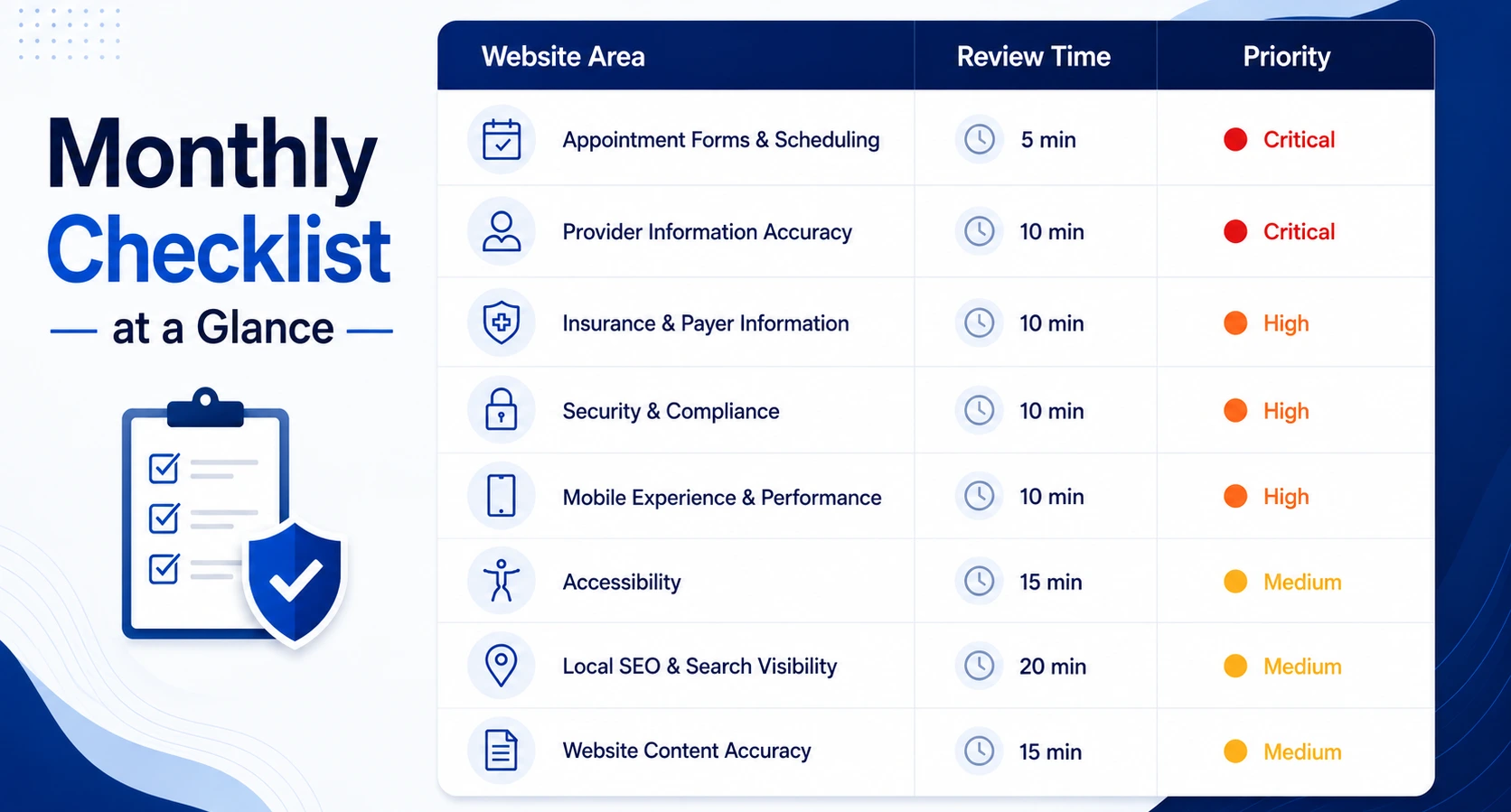
Want to work through this without losing your place halfway through? Download the full checklist as a printable PDF, Excel tracker, or monthly calendar, so your team can track updates, assign ownership, and make sure nothing patient-facing slips through.
Security & Compliance

A secure website isn't just a technical box to check, it's part of the trust patients place in your practice before they ever speak to anyone.
- SSL certificate active, valid, and not close to expiration
- Appointment, contact, and intake forms transmit information securely
- Patient-facing forms are built with privacy in mind, not just a standard contact-form template
- Privacy policy is visible, current, and reflects how patient data is actually handled
How to check it: open your website and look for the padlock icon next to the address bar, and confirm the URL starts with https rather than http. A missing padlock or a browser warning is an immediate issue, not something to revisit later.
A security warning can stop a potential patient before they ever see your services or provider information, and in healthcare, where trust matters more than almost anywhere else, a site that looks unsafe creates instant hesitation. If you're planning a new build, it's worth baking compliance in from the start rather than patching it on later ,here's what actually goes into HIPAA-compliant healthcare website design.
Mobile Experience

Most patients aren't discovering you from a desktop. They're searching from a phone, often while comparing options or dealing with the exact symptom that brought them to your site in the first place.
- Page load speed under three seconds on mobile
- Layout is fully responsive, with no horizontal scrolling or overlapping text
- Buttons for calling, booking, and directions are large enough to tap easily
- Navigation menu works correctly on smaller screens
How to check it: run your site through Google's free PageSpeed Insights tool and check the mobile score and load time. Anything consistently over three seconds is worth digging into.
A slow mobile experience doesn't read as a minor inconvenience to that person, it reads as friction, and friction gives people a reason to choose someone else.
Accessibility
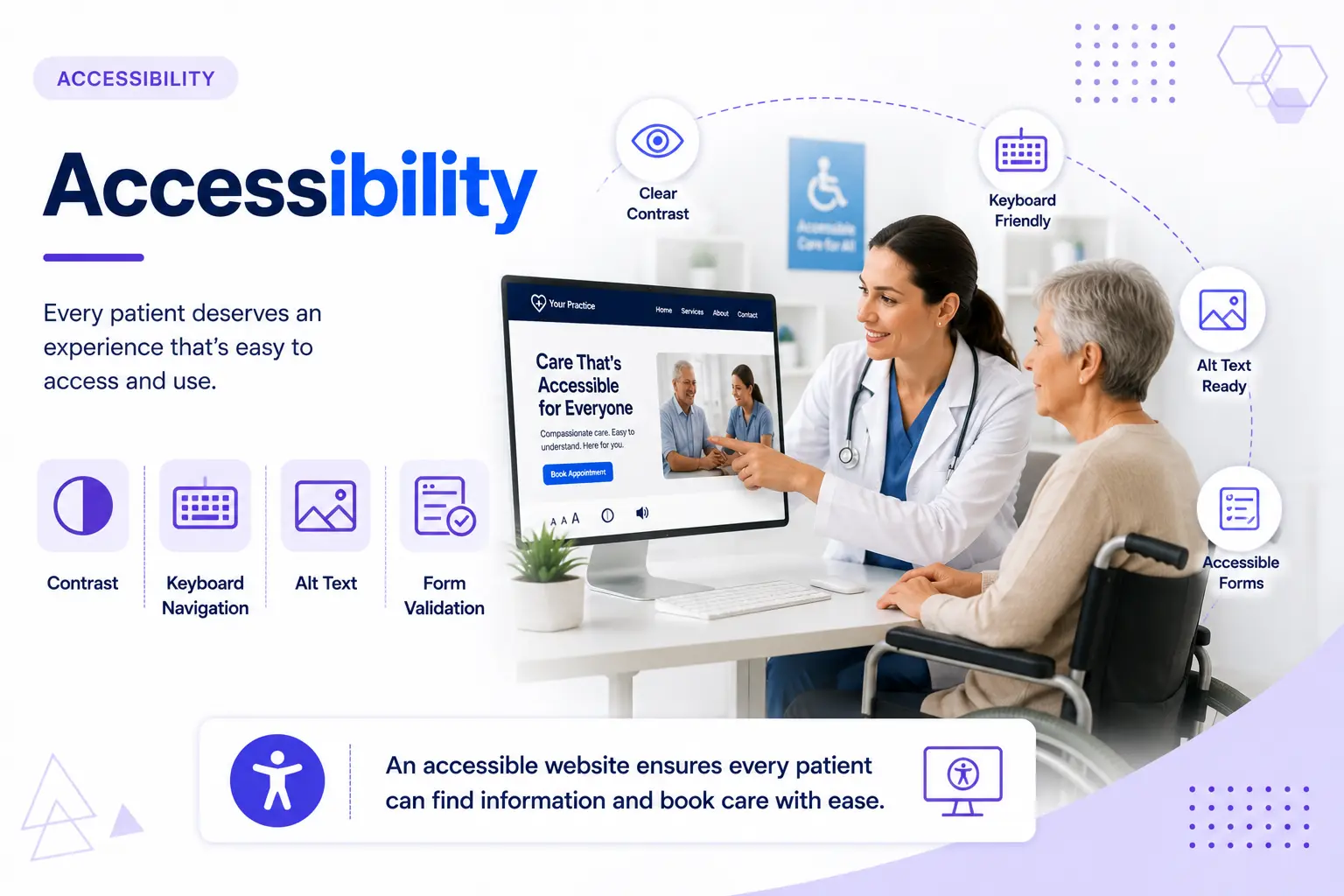
Healthcare websites serve a wide range of patients, including older adults and people relying on assistive technology, and many of them won't tell you a page was hard to use, they'll just leave. An accessible healthcare website design is as much about welcoming every visitor as it is about avoiding legal risk.
- Text has enough color contrast to read easily
- Images include alt text so screen readers can describe them
- The site can be fully navigated using just a keyboard
- Forms clearly flag missing or incorrect fields instead of failing silently
How to check it: try tabbing through your homepage using only the keyboard, no mouse. If you can't reach the booking button or main menu that way, some of your patients likely can't either. This isn't just a nice-to-have ,healthcare organizations serving the public carry real accessibility obligations, and it's easy to lose track of every time a page gets updated.
Appointment Forms & Conversion
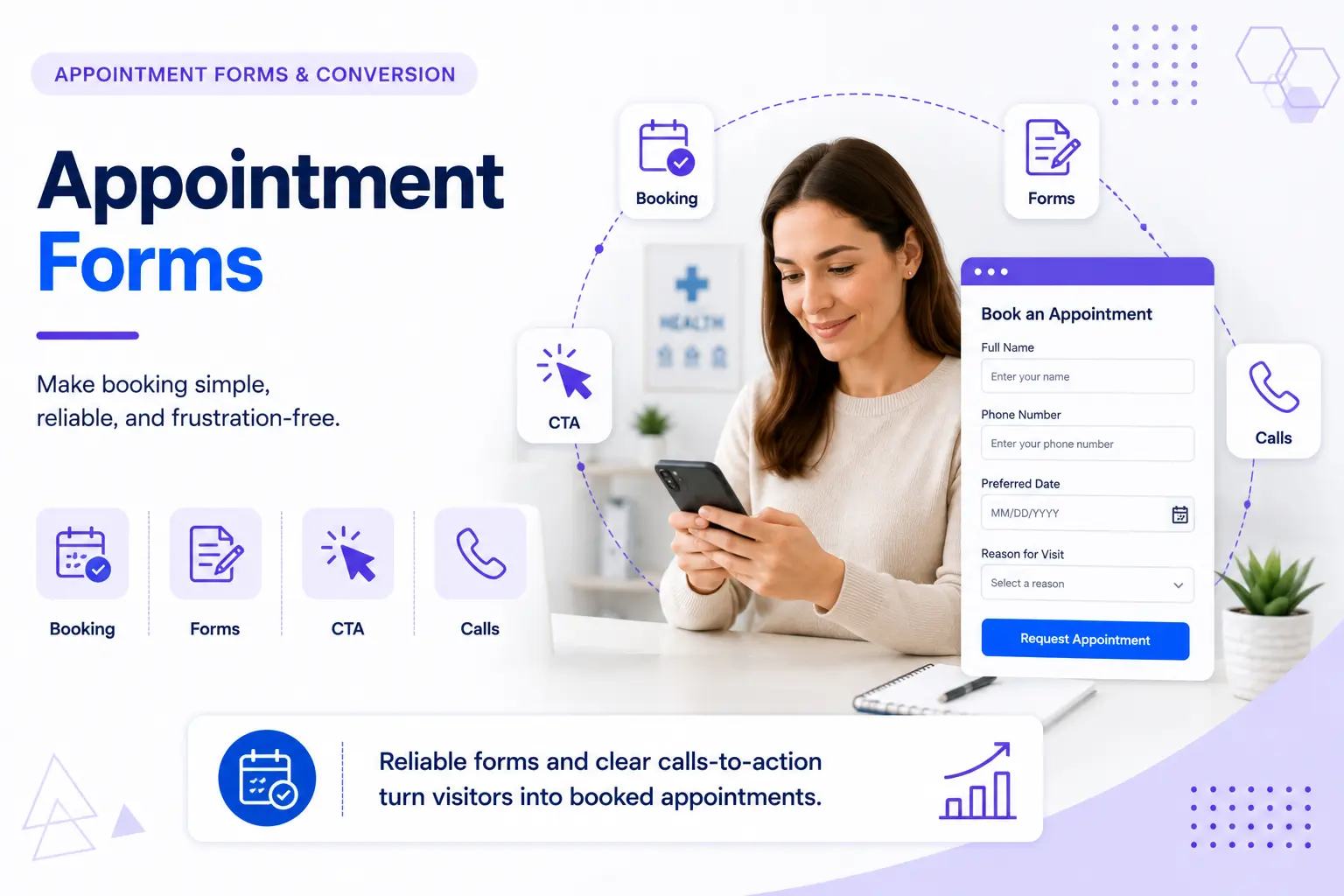
A website only helps your practice if patients can actually complete the next step, and this is usually the very first real interaction a patient has with your practice. Even a strong, modern healthcare website design can lose patients if the booking flow itself hasn't been tested recently.
- Appointment or intake forms tested end-to-end, not just visually checked
- Click-to-call works correctly on mobile
- Online scheduling integration, if used, is functioning and synced
- A clear call-to-action is visible without scrolling
How to check it: fill out the form yourself, all the way through, as if you were a patient. Submit it, then confirm it actually landed somewhere: your inbox, your dashboard, wherever it's supposed to go. A form that looks fine but fails silently is, hands down, the most expensive failure on this whole list. If a patient tried to book through your site today, would you even know if it failed?
Provider Page Accuracy

Provider pages are often one of the first things a patient looks at before deciding whether to book, and a few minutes of outdated information can create a very different impression than you intended.
- Every active provider is listed with the correct name, photo, specialty, and credentials
- Providers who've left are fully removed, not just from the team page, but from blog posts, service pages, and older content too
- Credentials, education, and certifications are current
- Provider pages link correctly to booking, not to an outdated scheduling page
How to check it: open your provider page and go down the list one by one. Could a new patient book with the right provider based on what's shown today? This sounds simple, but it's consistently the most damaging item on this entire checklist to get wrong. A patient who works with someone who left months ago doesn't see it as a website glitch; they see it as a sign the practice isn't paying attention, and that impression tends to follow into reviews.
Insurance & Payer Accuracy
Insurance information is one of the most important things patients check before ever reaching out.
- The accepted insurance list matches what you actually accept today
- Any dropped or added carriers are updated everywhere they appear, not just on one page
- Billing and payment information is current
How to check it: compare your website's insurance list against your actual current payer list, line by line, on every page that mentions it. A patient who calls because your site said their plan was accepted, then finds out it isn't, walks away with a bad impression that was entirely avoidable.
Can Patients Still Find Your Practice When They Search?
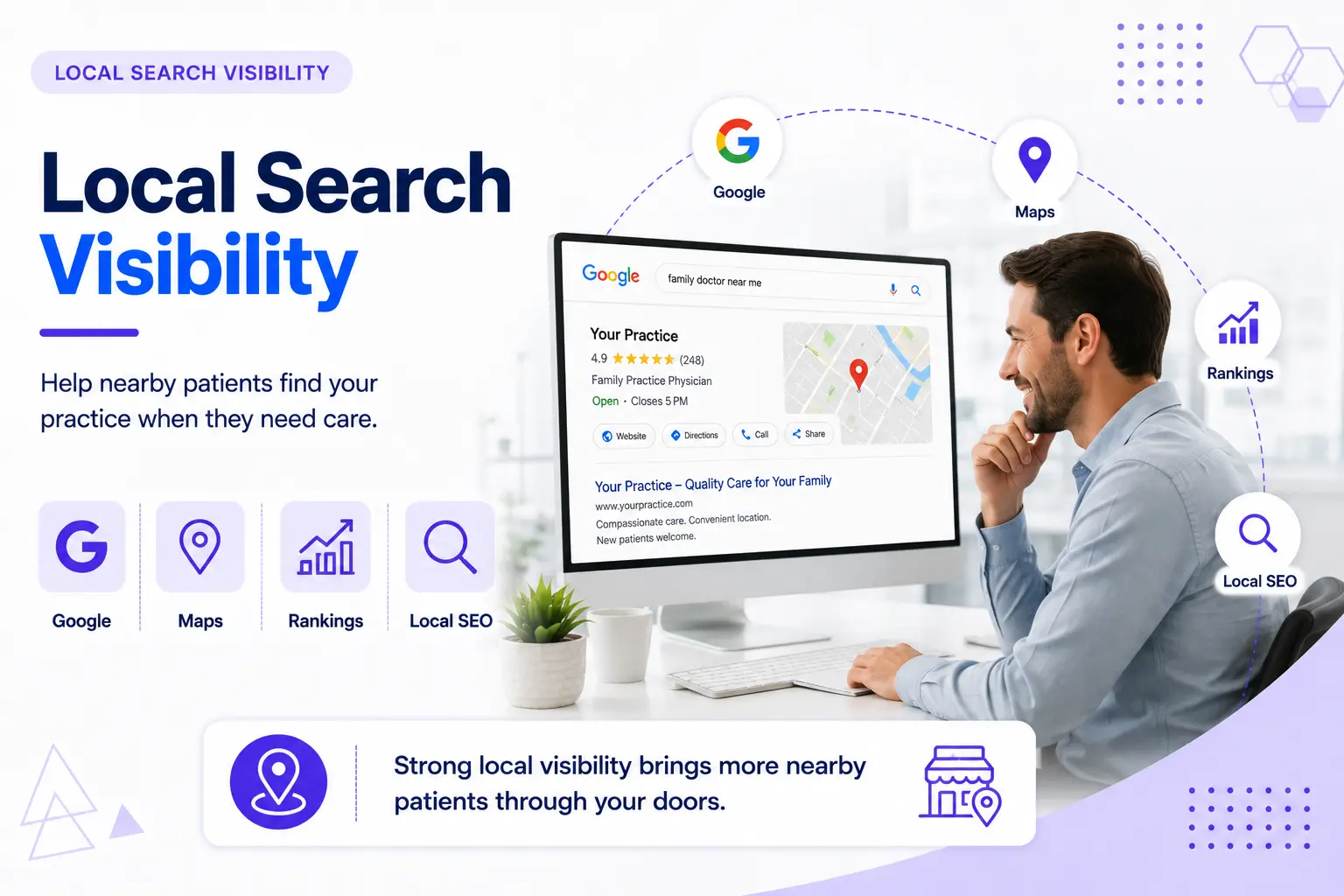
Being accurate on your own site doesn't help much if patients can't find you in search results in the first place. This is where the gaps above start to compound, since inconsistent information across the web quietly works against your visibility too.
- Google Business Profile matches the website exactly on name, address, and phone number
- Healthcare schema markup is present and accurate
- Service pages reflect what you currently offer, not services you stopped providing
- The site still ranks for the searches patients are actually using nearby
How to check it: search your practice name on Google, ChatGPT, and other AI platforms, then compare your Business Profile against your website's contact page, line by line. Even small inconsistencies here quietly work against your local ranking, and a mismatch that sits unnoticed for months can undo a lot of ranking progress.
Content Accuracy
Your website should reflect your practice today, not the practice you were a few years ago.
- Hours, address, and phone number are correct across every page
- Provider bios and credentials are current
- Accepted insurance list reflects what's actually accepted today
- No broken links, dead pages, or outdated announcements
Small inaccuracies do more damage than they seem to; they don't just confuse patients, they quietly chip away at the sense that this is a well-run, trustworthy practice. That's really a branding question as much as a content one, worth a periodic look even when nothing seems obviously wrong.
How Healthcare Website Maintenance Mistakes Create Patient Experience Gaps
Most website problems aren't caused by bad decisions, they happen because ownership was never clear.
- Assuming the agency or developer who built the site is also monitoring it afterward, without a maintenance agreement in place
- Only ever viewing the site on a desktop, never on the phone patients actually use
- Treating the website as a static brochure instead of a channel tied to your broader healthcare marketing strategies and plans
- Updating the site only when something visibly breaks, rather than checking on a set schedule
- Having no single person or team responsible for website upkeep
Nobody sat down and decided to leave a broken booking form online. Nobody was ever assigned to check it in the first place.
Does Anyone at Your Practice Actually Own Your Healthcare Website Maintenance?
Here's a question worth actually asking: who's responsible for making sure your website stays accurate, secure, and working properly?
Ask your marketing coordinator, and they'll probably say IT handles it. Ask IT, and they'll say that's really the agency's job. Ask the agency, and they'll say maintenance was never part of the original contract, that's on the practice now.
See the problem? Everyone assumes someone else is watching, so nobody actually is.
So who owns it at your practice, right now, today? If you can't answer that in five seconds, that's your answer. The fix isn't complicated, it's just often skipped: name one person, even part-time, who owns running through this checklist on a schedule, and put the cadence in writing, whether that's an internal team member or a formal maintenance agreement. Ownership is really the whole difference between a checklist that gets used and one that gets bookmarked and forgotten.
How Often Should Your Healthcare Website Be Checked?
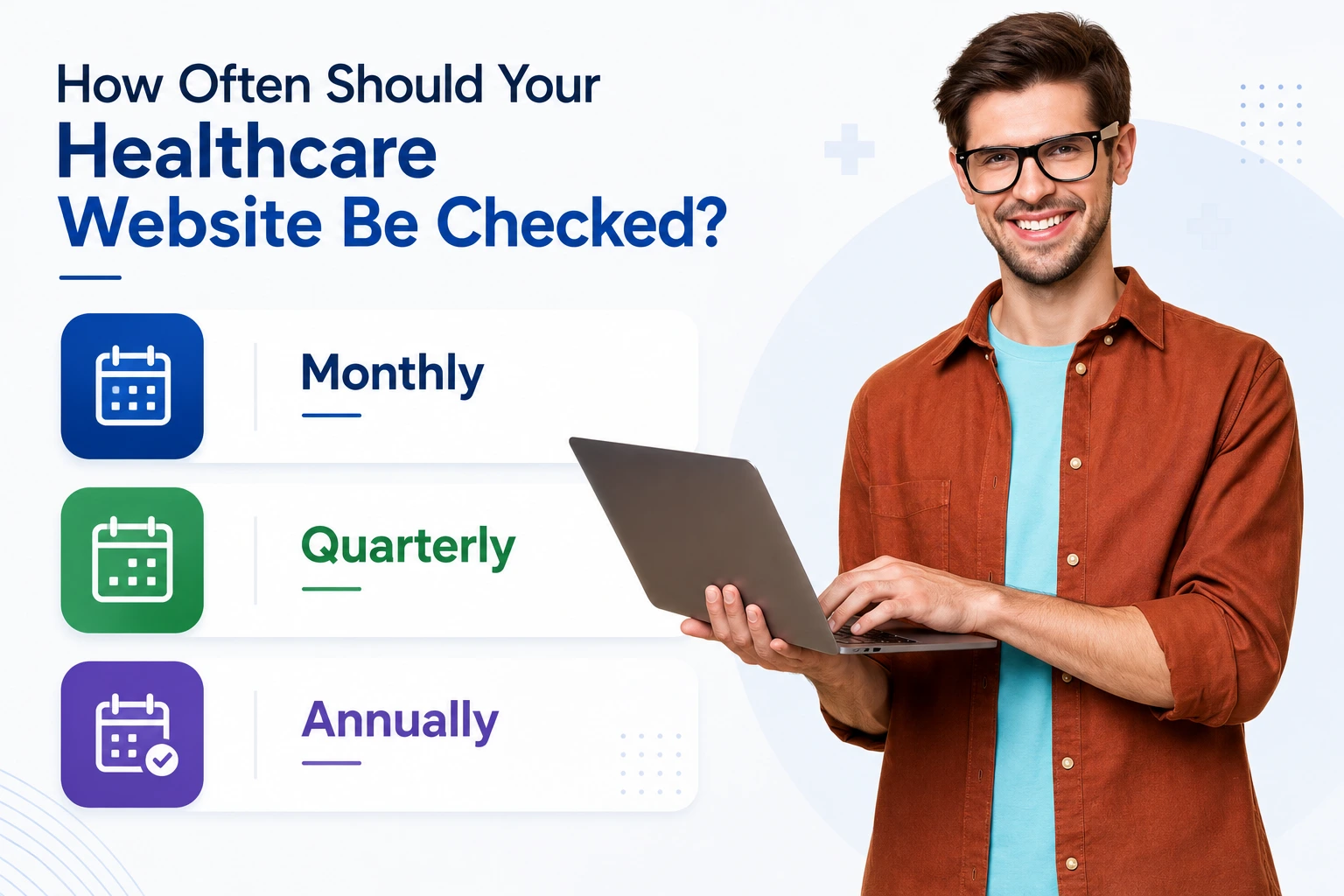
Not everything on this list needs the same amount of attention.
Monthly: test appointment and contact forms, check mobile load speed, confirm Google Business Profile still matches the site, and review provider and insurance accuracy at a glance.
Quarterly: a fuller review of provider profiles and credentials, insurance and payer lists, service pages, SSL status, and analytics for pages with high drop-off.
Annually: a full security audit, a complete content review, and an honest look at whether the site still reflects where your practice is today versus when it was first built. Sometimes routine maintenance solves the ongoing issues; but if the site no longer reflects your services or goals, a healthcare website redesign is often the more realistic path than continuing to patch an aging site.
Immediately, whenever it happens: a few things shouldn't wait for the next scheduled check at all. A provider joining or leaving should be reflected within a day or two. The same goes for insurance changes, a new location or service, or right after any platform or plugin update, that's exactly when forms and integrations tend to break, so it's worth testing them the same day.
Self-Assessment: How Does Your Site Actually Score?
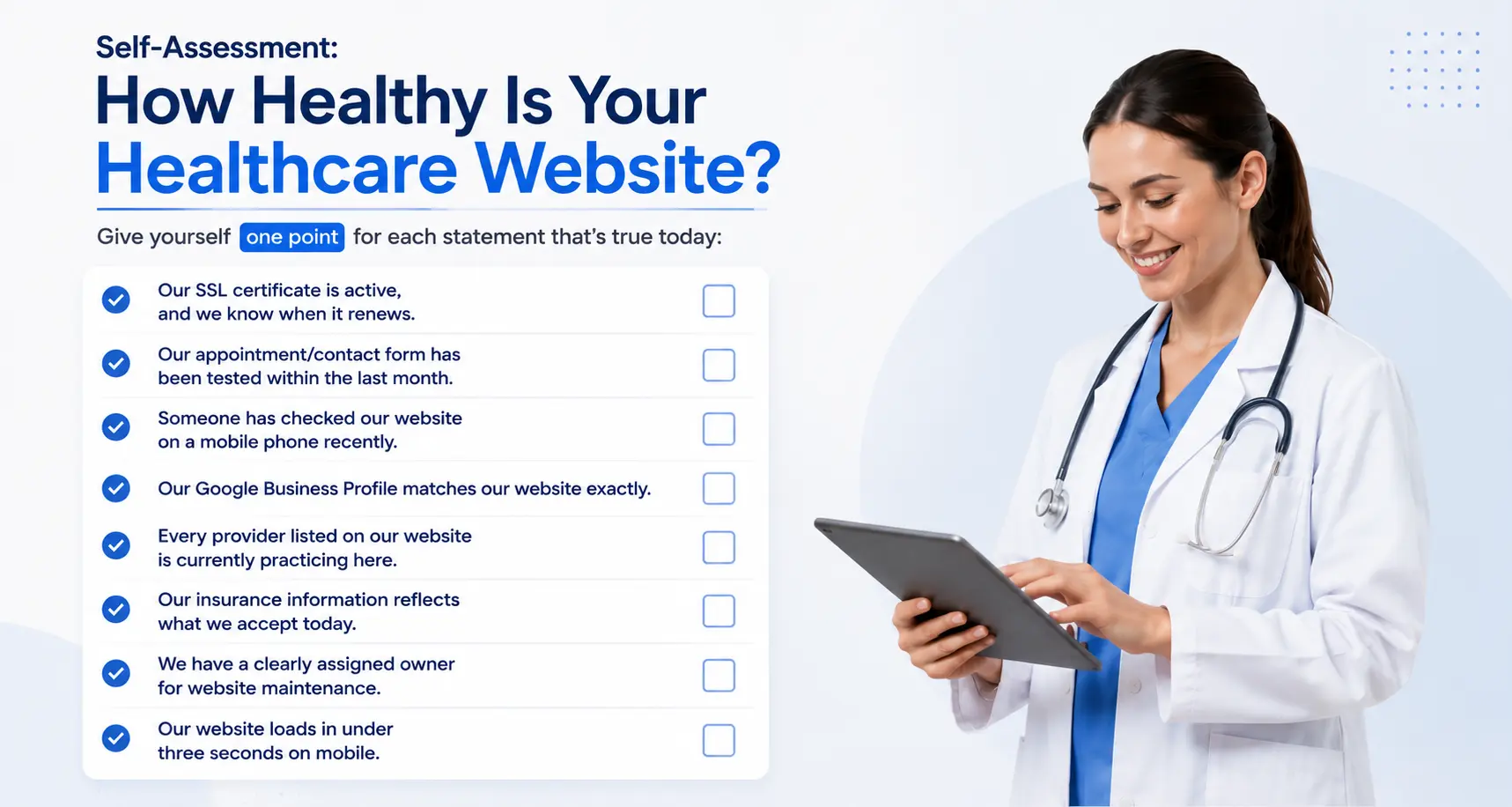
Give yourself one point for each statement:
- Our SSL certificate is active and we know when it renews
- Our appointment/contact form has been tested in the last month
- Someone has checked our site on a phone in the last month
- Our Google Business Profile matches our website exactly
- Every provider listed on our site is still actually practicing here
- Our insurance list reflects what we actually accept today
- We have someone responsible for checking the site regularly
- Our site loads in under three seconds on mobile
7-8 points: Website maintenance is genuinely being handled proactively. Keep the routine going so small issues don't turn into patient experience problems.
4-6 points: There are real gaps worth closing, likely areas where outdated information or missing processes could already be affecting patients.
0-3 points: Your site very likely has hidden risks affecting patient trust right now, not eventually. This is worth acting on this week.
Where did you land? If it's under 4, get your free audit and we'll tell you exactly what to fix first.
Why Practices Use Professional Website Maintenance Support
Most healthcare practices already have their hands full managing patient care, operations, and day-to-day marketing. Website maintenance tends to fall through the cracks, not because it's ignored on purpose, but because it takes a mix of technical know-how, content accuracy, security awareness, and consistent testing, the kind of ongoing attention that's hard to fit in alongside everything else a practice is already doing.
A dedicated maintenance process means these areas get reviewed on a schedule, instead of waiting until a patient runs into the problem first.
Keeping Your Healthcare Website Reliable Takes Ownership
None of this is complicated. Testing a form takes five minutes. Checking your Google Business Profile takes ten. The hard part was never the checking; it's that nobody made it anyone's job, so it never happened on its own.
Go back to the question we started with: if a patient opened your website right now, would they find something accurate, secure, and easy to use, or something outdated, slow, or quietly broken? After going through this checklist, you probably have a much clearer answer than you did a few minutes ago. That's really the whole point, not a perfect website, just one where nothing important is broken without anyone knowing.
Pick one person to own this, put a simple monthly reminder on the calendar, and you've already closed most of the gap most practices never do.
Download the Checklist
Reading this once is a start, but let's be honest, will you remember to actually run through it next month? This checklist is available as a printable PDF, an Excel version for tracking month to month, and a monthly maintenance calendar, so whoever ends up owning this at your practice has something to actually work from.
Free Website Audit
So, where does your website actually stand? We'll run this exact checklist against your site and send back a short report ranking your top 3 issues by patient experience impact and urgency, no obligation, just a clear place to start. And if the gap has grown too wide for routine upkeep to close, our healthcare website design services can help rebuild a secure, compliant, and patient-focused website from the ground up.