

Most healthcare websites look professional and still break HIPAA rules without the owner knowing. A contact form that stores messages unencrypted, a host that won’t sign a BAA, or a tracking pixel sitting on the booking page is all it takes. None of it is visible from the outside, but a regulator or a lawyer will find it.
The cost can be huge. According to IBM’s Cost of a Data Breach Report, healthcare is still the most expensive industry for data breaches, at an average of $6.64 million per incident. This guide explains the HIPAA compliant website requirements for hospitals and clinics in plain language, including which pages are actually affected, so you can see where your site stands and what to fix first.
Why Does HIPAA Apply to Your Website?
You’ve heard of HIPAA, and you know it applies to your practice. But does it really apply to your website? Short answer: yes, and more of your site is covered than you probably think.
The Health Insurance Portability and Accountability Act (HIPAA) was signed into law in 1996 to protect patients’ sensitive health information from being disclosed without their knowledge or consent. Back then, websites were barely a thing. Nobody was booking doctor appointments online or checking lab results through a patient portal.
Fast-forward to today, and your website is doing exactly what HIPAA was designed to regulate: collecting, storing, and transmitting patient data. The moment a visitor fills out a contact form with their name and a health question, you’re handling Protected Health Information (PHI). That’s when HIPAA kicks in.
What Counts as PHI on a Website?
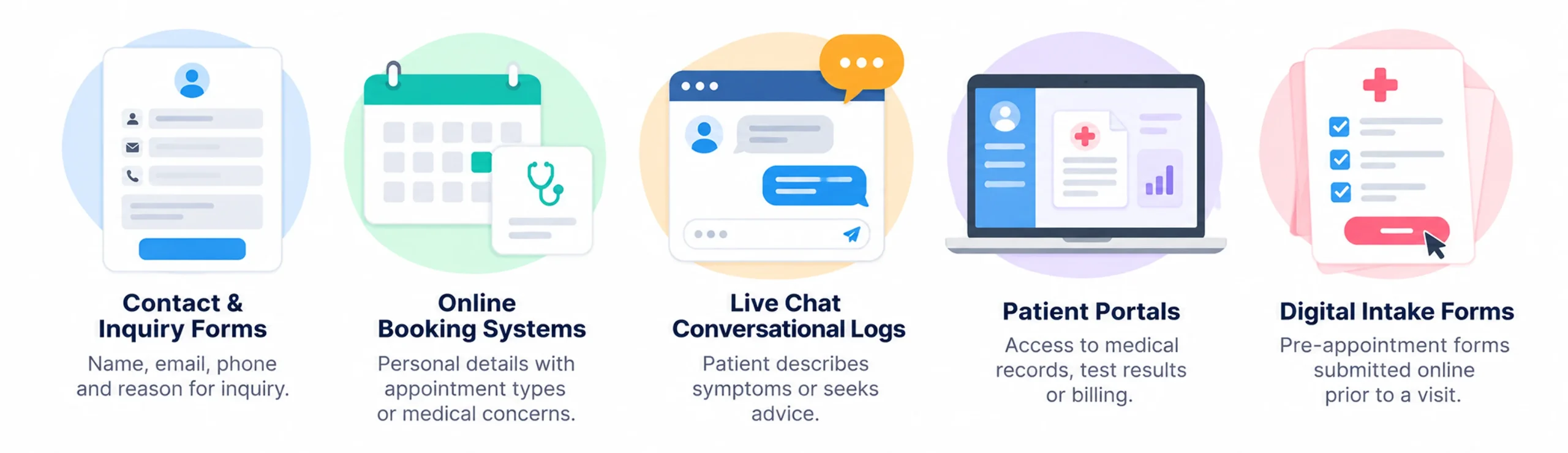
PHI is any information that can identify a patient and relates to their health condition, treatment, or payment. On a website, that includes more than most people realize:
- Contact & Inquiry Forms: Forms asking for a name, email, phone number, and reason for inquiry.
- Online Booking Systems: Tools capturing personal details alongside desired appointment types or medical concerns.
- Live Chat Conversational Logs: Chat widgets where a patient describes symptoms or seeks advice.
- Patient Portals: Logins and dashboards where patients access medical records, test results, or billing.
- Digital Intake Forms: Pre-appointment forms submitted online prior to a visit.
Think about your own website for a moment. How many of those touchpoints do you have? If the answer is more than one, keep reading.
Who Needs to Comply with HIPAA?
Covered entities (hospitals, clinics, private practices, labs, and health insurance providers) must comply with HIPAA. But here’s the part that trips people up: so do business associates, meaning every third-party vendor that handles PHI on your behalf. That includes your web host, CRM, form tool, live chat provider, and email marketing platform. If a vendor touches patient data and there’s no signed Business Associate Agreement (BAA) in place, you’re already out of compliance.
Does Every Page Need to Be HIPAA Compliant?

Good news: No. A simple “About Us” page, a list of services, or a general blog post doesn’t collect or send patient information, so it carries much less risk. The HIPAA requirements for healthcare websites apply most to pages where patient information is collected, stored, displayed, or sent:
- Contact and inquiry forms
- Appointment booking pages
- Patient portal login and dashboard pages
- Live chat and intake forms
- File upload pages
One word of caution: public pages aren’t completely risk-free. Marketing tools like tracking pixels can capture visitor behavior on any page, so it’s smart to review what’s running across your whole site, not just your forms.
Important Note: Public pages aren’t completely risk-free. Third-party marketing scripts (like Meta Pixels or Google Ads tags) can inadvertently capture user behavior on public pages, so auditing your entire site is important.
Key HIPAA Rules That Shape Your Website Healthcare Website
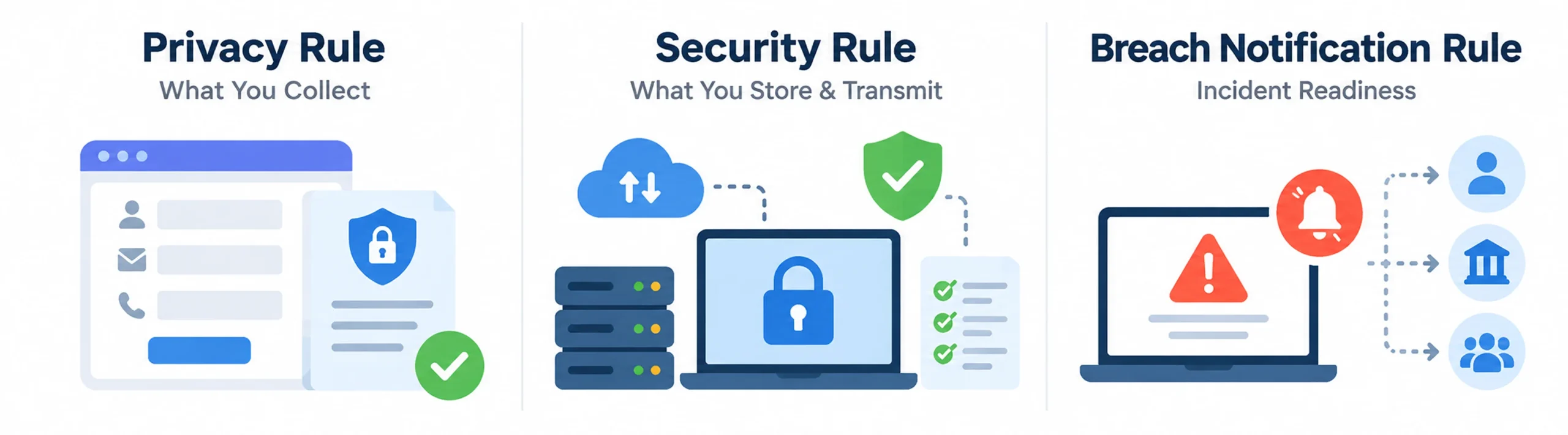
HIPAA isn’t one rule. It’s a framework, and three of its rules set the HIPAA compliant website standards your site has to meet. Knowing them also helps you ask your web design agency the right questions.
The Privacy Rule: What You Collect
The Privacy Rule governs how PHI is collected, used, and shared. For your website, that means a clear privacy notice, collecting only the data you need, and sharing it only with people and vendors who are allowed to see it. Every form field has implications. Asking for a date of birth on a general inquiry form could already be a problem if it isn’t handled correctly.
The Security Rule: What You Store & Transmit
The Security Rule covers the technical safeguards for electronic PHI (ePHI), such as encryption, access controls, and audit logs. It shapes the technical setup of your site most directly, and many general web agencies don’t implement it well. HHS has also proposed making safeguards like encryption and multi-factor authentication firm requirements. Final action isn’t expected until 2027, but building them in now keeps you ahead.
The Breach Notification Rule: Incident Readiness
Nobody wants to think about a breach. But if patient data is compromised, you must notify affected individuals without unreasonable delay and no later than 60 days after you discover it. Larger breaches also require notifying HHS and the media. Audit logs and an incident response plan help you detect and respond quickly.
7 HIPAA Compliant Website Requirements You Must Know
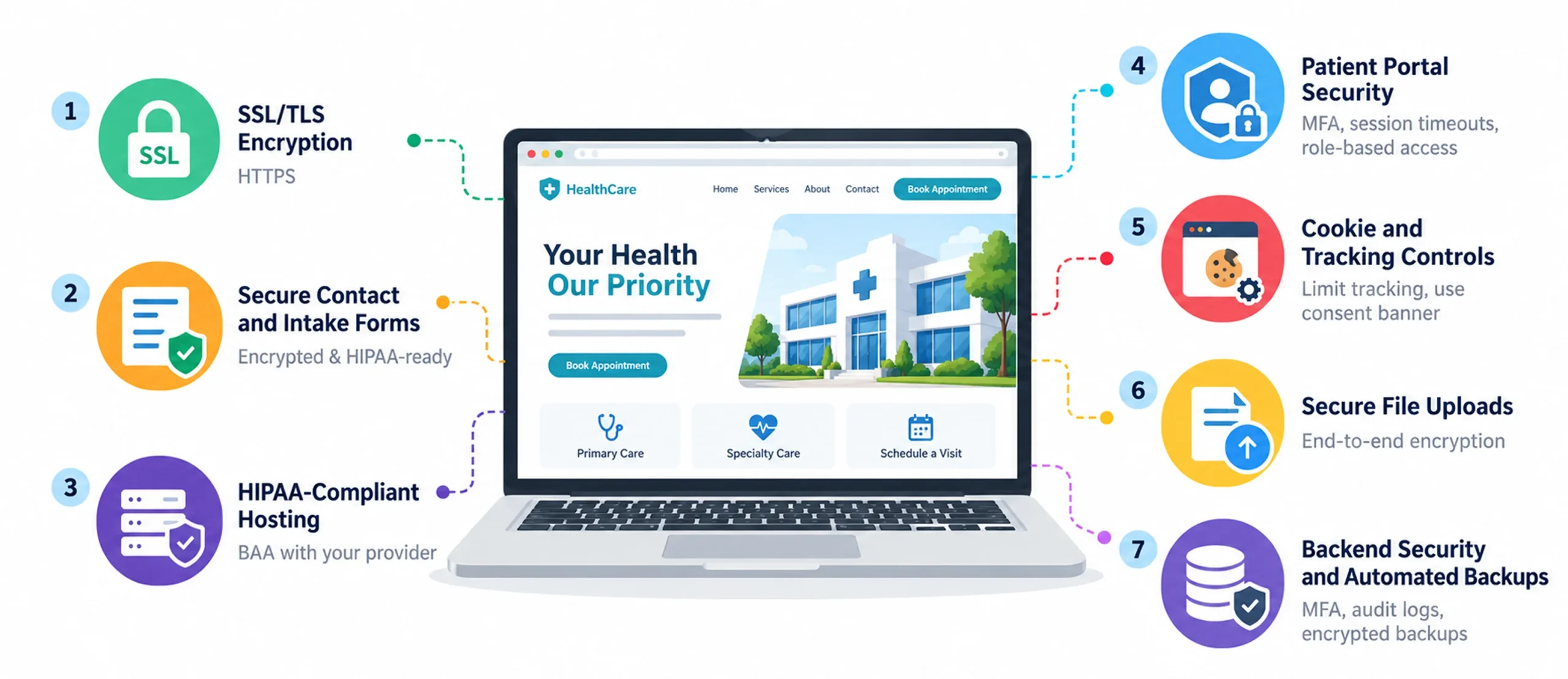
Your website sits where patient experience meets data regulation, and every form, tool, and hosting choice has compliance implications. You don’t need a law degree to get it right. Here are the seven to check first, and they double as HIPAA website security best practices you can follow from day one.
1. SSL/TLS Encryption (HTTPS)
Check your address bar. If it says HTTP instead of HTTPS, fix that first. SSL/TLS encryption secures the connection between a patient’s browser and your server. Without it, form submissions and logins travel in plain text, and HIPAA’s Security Rule expects encryption for any site that sends patient data.
Quick check: No padlock icon next to the URL means your site isn’t encrypted.
2. Secure Contact and Intake Forms
Standard plugins like Contact Form 7 were built for general websites, not healthcare. They often store submissions unencrypted in your WordPress database and don’t come with a BAA. The HIPAA requirements for healthcare websites come down to three things for forms: encrypt data in transit and at rest, avoid storing PHI on non-compliant servers, and get a signed BAA from the vendor. So when a patient submits your “Book an Appointment” form, do you know where that data goes?
3. HIPAA-Compliant Hosting
Many clinics build a beautiful site, then find out their host won’t sign a BAA. Standard shared hosting and most all-in-one website builders typically won’t, which makes any PHI on their servers a compliance problem. Choose a host with HIPAA-ready plans, such as AWS, Microsoft Azure, Google Cloud (for covered services), Liquid Web, or Nexcess. Confirm your plan’s details in writing, and get the BAA signed before launching any patient-facing feature.
4. Patient Portal Security
A username and password alone aren’t enough for a portal. You need several layers working together:
- Multi-factor authentication (MFA): adds a second verification step
- Session timeouts: log out inactive users automatically
- Role-based access: staff see only the data their role needs
- Audit logs: a tamper-resistant record of every login, access, and change
Think of these as a locked cabinet for your digital patient files.
5. Cookie and Tracking Controls
Many clinics put themselves at risk just by trying to measure their marketing. Meta Pixel and Google Ads tags can send patient behavior to third parties, especially from booking pages and portals. Even where HIPAA’s reach is debated, state privacy laws and class-action lawsuits have made careless tracking expensive. To stay safe:
- Audit every tag, pixel, and script on your site
- Keep tracking tools off booking, portal, and logged-in pages
- Use a cookie consent banner that’s honest and specific
- Get a BAA from any vendor that could receive PHI, or keep PHI away from them
A safer way to grow your patient base is strong SEO for healthcare, which builds trust through helpful content and local visibility without tracking individual visitors.
6. Secure File Uploads
Medical records, prescriptions, and insurance cards are some of the most sensitive PHI on your site, and off-the-shelf upload widgets usually aren’t HIPAA compliant. Encrypt uploads end to end, and stores files in a HIPAA-compliant environment, not a generic cloud folder.
7. Backend Security and Automated Backups
Your backend is just as exposed as your patient-facing pages, because it’s where everything is stored. HIPAA website security best practices here include:
- MFA for all admin and staff logins, not just for portal users
- Comprehensive audit logs showing who accessed what, when, and from where
- Encrypted, regular backups in a compliant environment, with tested recovery procedures
If your hosting plan doesn’t include automated backups to a compliant environment, you’re one server failure away from a very bad day. A simple healthcare website maintenance checklist helps you stay on top of backups, updates, and security checks.
Online Appointment Scheduling and HIPAA
Online booking is one of the most popular features on a clinic website, and one of the riskiest. A scheduling form can capture a patient’s name, contact details, insurance information, and reason for their visit, and all of that is PHI. Whether you use a built-in tool or a third-party widget, follow these basics:
- Choose a scheduling tool that signs a BAA and encrypts data in transit and at rest
- Ask only for the details you need to book the visit
- Keep reminder emails and texts free of diagnoses, treatments, or other sensitive details
- Keep tracking pixels and ad tags off every step of the booking flow
- Limit staff access to appointment data with role-based permissions
Common HIPAA Website Design Compliance Mistakes
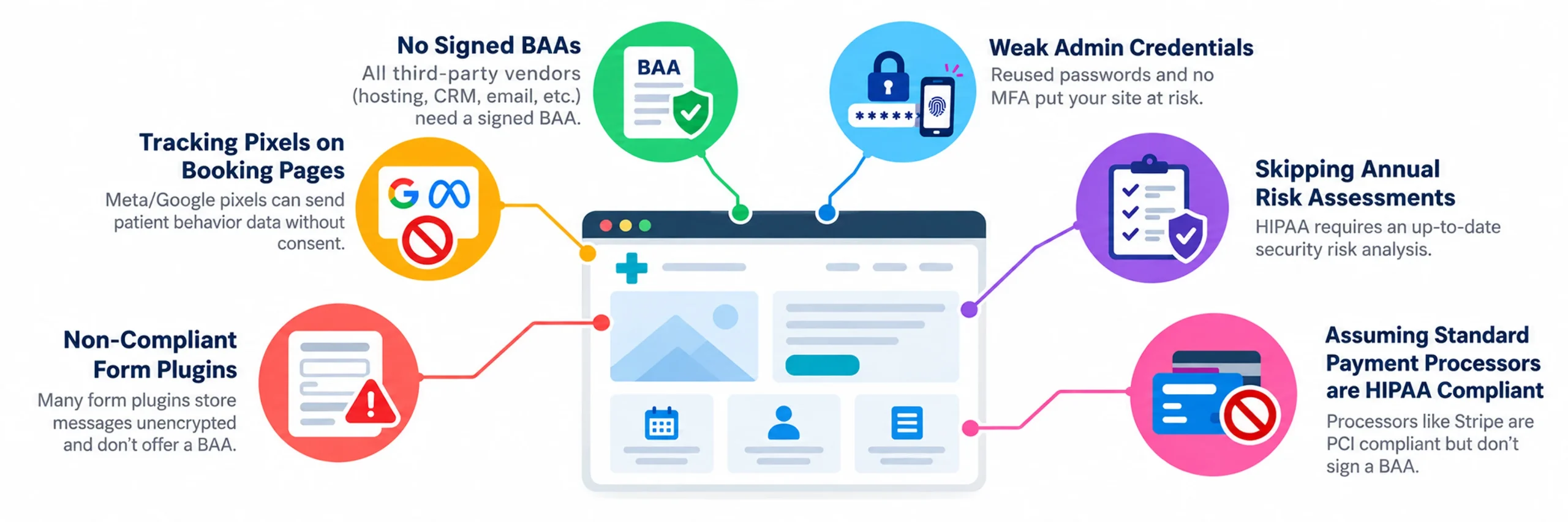
A website can look professional, load fast, and rank well on Google while still putting you at legal risk. Compliance lives in your server setup, form tools, hosting agreement, and access controls, so it’s easy to miss. Most HIPAA website compliance mistakes aren’t deliberate. Nobody asked the right questions when the site was built. Here are the six to watch for.
1. Using standard, non-compliant form plugins
Plugins like Contact Form 7 and basic chat widgets often store messages unencrypted and don’t come with a BAA. Every symptom a patient types could be sitting on a non-compliant server right now.
Fix: Switch to form and chat tools that meet the HIPAA requirements for healthcare websites: they encrypt data and sign a BAA.
2. Running ad tracking pixels (Meta/Google) on booking pages
Since 2022, many health systems have faced class-action lawsuits over Meta and Google pixels that sent patient behavior data without consent. That makes this one of the biggest legal risks in healthcare marketing.
Fix: Remove tracking pixels from booking forms, patient portals, and condition-specific pages. Audit your site with your marketing team immediately to verify where pixels are currently firing.
3. Operating without signed BAAs across all third-party vendors
Your host, CRM, email tool, form builder, chat service, and analytics platform all need a signed BAA before patient data reaches them. No BAA means no compliance, however secure the vendor says it is.
Fix: List every vendor and confirm you have a BAA for each one.
4. Weak admin credentials lacking Multi-Factor Authentication (MFA)
Reused passwords, shared admin logins, and accounts nobody reviews weaken your Security Rule safeguards.
Fix: Use a password manager and turn on MFA for every admin account.
5. Skipping annual Security Risk Assessments
HIPAA requires a thorough security risk analysis that you keep up to date. Many small practices skip it because they don’t know it’s required, and then have no documentation if they’re audited.
Fix: Review it at least once a year and after any major website change.
6. Assuming standard payment processors (like Stripe) cover HIPAA
Stripe is PCI DSS compliant, but PCI and HIPAA are separate standards, and Stripe generally doesn’t sign a BAA.
Fix: Keep diagnoses, treatments, and clinical notes out of invoices and metadata, or choose a processor that signs a BAA.
How to Make Your Healthcare Website HIPAA Compliant
Whether you’re launching a brand-new site or fixing an existing one, knowing how to make a healthcare website HIPAA compliant starts with a clear plan. Here’s a simple order of work, built on HIPAA website security best practices:
- Map your data. List every form, chat tool, portal, upload field, and booking widget that touches patient information.
- Choose compliant infrastructure. Pick a host that signs a BAA and encrypts data at rest and in transit.
- Secure every form. Use a form tool that signs a BAA, and collect only what you need.
- Audit your vendors and tags. Get a BAA from every vendor that could touch PHI, and remove tracking from sensitive pages.
- Lock down access. Turn on MFA, role-based access, session timeouts, and audit logs.
- Document and test. Complete a security risk assessment, write down your policies, and review them regularly.
Wondering how to make a healthcare website HIPAA compliant from scratch? Start with a clear plan for how to create a healthcare website, covering the structure, content, and features you’ll need. Already have a site? Build compliance checks into your healthcare website redesign checklist so you close security gaps and protect your search rankings at the same time.
HIPAA Compliant Website Checklist
Compliance doesn’t have to feel clunky. The best healthcare sites pair strict security with empathy-driven design. Following the latest healthcare website design trends helps you build a portal that is secure and easy to use, even for elderly patients or people under stress. Small details help too: a progress bar on multi-step intake forms, auto-save in compliant storage, and simple sign-in flows turn MFA and session timeouts from friction into reassurance. The goal isn’t to make compliance less annoying. It’s to design security so patients feel cared for.
HIPAA and Accessibility: Two Layers
HIPAA and accessibility laws are separate, and your site needs to meet both. HHS’s Section 504 rule requires organizations that receive HHS funding to meet WCAG 2.1 Level AA. The deadline is now May 11, 2027 for organizations with 15 or more employees, and May 10, 2028 for smaller ones. It’s smart to start now with good color contrast, keyboard navigation, screen reader support, and alt text across your site. Our healthcare website accessibility guide goes deeper. The good news is that accessible and secure design work together, because clear labels and simple flows help every patient.

Make Compliance Visible to Build Trust
Patients decide whether to trust you with their health information before they hit “submit.” Show them signals that say “this is safe”:
- A visible padlock, plus a short “Your data is encrypted” note near form fields
- A compliance statement near forms and portals (there’s no official HIPAA “certification,” so only claim what’s true)
- A plain-English privacy policy that explains what you collect and why, linked from every page
- An honest, specific cookie consent banner
These touches reduce hesitation at your most important conversion points: the form, the booking widget, and the portal login. Security and conversion work together, and these conversion rate optimization strategies show how to build on that.
Mobile-First Is Non-Negotiable
More than half of all web traffic is mobile, and your patients are no exception. A secure site has to work just as well on a small screen, with responsive layouts, large tap targets, readable fonts, and fast load times. It’s one site, so it needs one standard.
Choosing the Right healthcare Web Design Partner
Here’s a scenario worth sitting with: you hire a talented agency, patients love the new site, and six months later you find forms that aren’t compliant, a host that won’t sign a BAA, and Meta Pixels firing on your booking page.
Many general agencies don’t know what they don’t know about HIPAA. Look for a team that understands HIPAA compliant website standards, and weigh the trade-offs of hiring a web design company vs freelancer before you commit, since compliance experience, support, and accountability can differ a lot between the two.
Before hiring a partner ask these 5 essential questions:
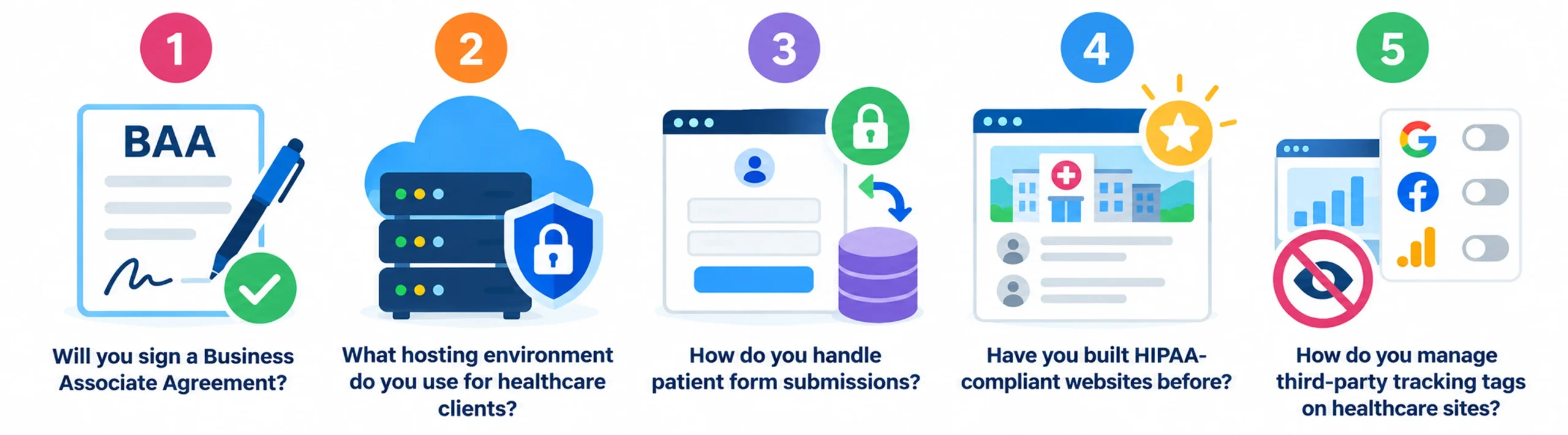
- Will you sign a Business Associate Agreement? If the answer is no, a hesitation, or “what’s that?”, end the conversation. Any agency building a healthcare website must be willing to sign a BAA.
- What hosting environment do you use for healthcare clients? Look for agencies that name a specific HIPAA-compliant hosting partner and can confirm a BAA is in place with that provider.
- How do you handle patient form submissions? They should be able to describe encryption at rest and in transit, name the specific form tool they use for healthcare clients, and explain where that data is stored.
- Have you built HIPAA-compliant websites before? Experience matters here. Ask for examples and references, and ask those references specifically about the compliance process, not just the design quality.
- How do you manage third-party tracking tags on healthcare sites? They should have a clear, documented policy on where pixels fire, with a default of not firing on any patient-facing pages without explicit review.
Build Compliance and Trust Into Your Healthcare Website
Your website is a patient touchpoint, a data collection tool, and a major regulatory responsibility all in one.
Meeting HIPAA-compliant website standards isn’t a one-time project, it’s an ongoing operational commitment. Technology updates, plugins evolve, and tracking rules shift, which means your digital security requires continuous attention. A great first step is working through the HIPAA Compliant Website Checklist above to identify and fix your highest-priority gaps.
If managing server setups, BAAs, and tracking scripts feels like a distraction from patient care, you don’t have to navigate it alone. At JanBask Digital Design, our specialized healthcare website design and development expert services build security, accessibility, and high-converting patient experiences into your site from day one keeping your practice protected and fully compliant month after month.